The setting video for the built-in card swiping function of Ricoh IMC2000 series machines IM_C2000_C2500_C3000_C3500_C4500_C6000/M.C2001 link: https://
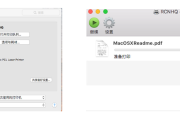
Fault: iMac or MacBook connected to shared printer IM C2000 failed to print and cannot print. Possible reason 1: Mac OS and MFP firmware. 2. Network. Repair process 1. Install a new one ..
IMC2000SP startup without black color; Possible causes of SP2-109 fault sample: PCDU malfunction/board circuit malfunction; Repair process 1. Print SP2-109 full-color test page for testing, with only black solid color samples available ..
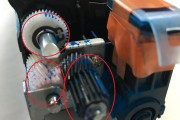
Symptom malfunction: There is a rattling noise when printing and copying IM C2004. This malfunction has occurred multiple times and was previously resolved by replacing the developing unit, but it reappeared shortly thereafter. Repair process 1. There was an abnormal noise during the printing test, and it was confirmed that the abnormal noise was ..
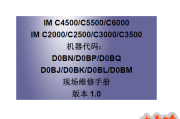
Ricoh IM C2000, C2500, C3000, C3500, C4500, C5500, C6000 Chinese Maintenance Manual: When generating a regular SC (type D), perform automatic restart. Can utilize SP5-
Ricoh imC2000, C2500, C3000, C3500, C4500, C5500, C6000 color copiers. Copy the test patterns in the Chinese maintenance manual and check the output quality. Adjust the paper alignment as necessary ..