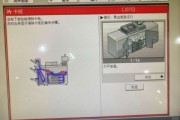
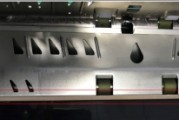
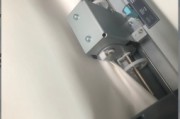
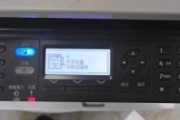
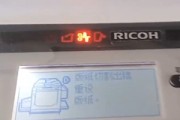
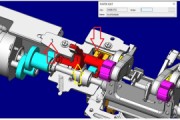
The paper jam code J070 occurred in Ricoh 8300. The reason why the machine frequently jammed the paper jam display code J070 during the 8300 printing process: 1. After arriving at the scene, the paper jam code was first checked according to the 8300 manual...
Symptom An MP3055 machine has paper jam during copying using the configuration ARDF3090. Reason: 1: Poor paper feeding unit, paper feeding belt, etc. 2: Poor separation unit. 3: Bad sensor, bad clutch. 4...
Symptoms: Paper jam (A and C) occurred in the paper supply department during the use of a DD3344. The specific positions are shown in the figure (Figures 1, 2 and 3). Maintenance process: 1. The front end of the paper has not reached the pressure roller, so the possibility of poor pressure combination is eliminated first, and the key points are checked...
Symptom: Poor print quality on the Pro8200S, with adhesive overflow from the labels causing a paper jam (J036). Reason: After the adhesive is fixed, the front end is bent downward and there is overflow glue. The overflow glue sticks to an iron plate at the exit, causing paper jam J...
Symptoms: The machine has frequent paper jams (dozens of cards once), and the paper is often stuck at the paper inlet. Maintenance process: 1. Adjust and increase the paper feed pressure, and the paper jam problem still exists; 2. Different types of paper tests and paper jams were replaced...
Symptom: One MP2014 machine jammed paper at the alignment when copying/printing a job. (as shown in figure 1, 2) maintenance process: 1, because the paper jam position are in the alignment sensor, then use "SP5803 input check" test...
Symptoms: During the plate making process of digital printing machine DD3344, D jam paper was displayed and the plate paper was cut incorrectly. As shown in Figure 1, the reasons are as follows: 1. The in-situ sensor of the printing cylinder has poor contact or is dirty. 2. The plate-making unit drives the plate paper abnormally. 3. cutter abnormal...
Symptoms: A IMC400F machine has a fault that the side door of the machine cannot be opened due to paper jam on the startup display. Reason: 1. The door on the right side of the fixing unit and the paper output unit is not good. 2. Transfer unit contact broken/poor contact. 3. image...
To repair the paper jam of the copier, since the machine is used by everyone in the corridor, there is no specific phenomenon of paper jam. First, the copy and printing test is normal, and second, the double-sided and single-sided output is normal. finally inadvertently found the machine carton detection has a problem, think carton...