Operation steps: Hold down the "0" key and wait for 5 seconds, then press the green start button. The * Enter password interface will appear. Enter password: 6789, click the confirm button on the touch screen to enter the maintenance engineer mode. You need to enter the maintenance of the Fuji Xerox printer ..
Xerox SC2020 Maintenance Menu Quick View (for reference only, please refer to the Maintenance Manual Guidelines -201503 for specific operations) * * * * This content is hidden by the author * * * *, maintenance cases, Ricoh Copier Maintenance...
The main improvement of Xerox ApeosPrintC328_C328dw_C325dw firmware upgrade program fixed the problem of paper jam during double-sided printing fixed the problem of not being able to wake up from sleep mode in some cases corrected some...
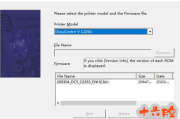
xerox color copier fifth generation V c2265,c2263 upgrade firmware latest firmware upgrade method 1. need computer usb print line directly connected to the machine shutdown and then press and hold the power saving button boot machine display downloa such...