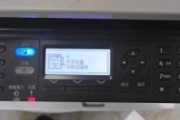
Symptom: One MP2014 machine jammed paper at the alignment when copying/printing a job. (as shown in figure 1, 2) maintenance process: 1, because the paper jam position are in the alignment sensor, then use "SP5803 input check" test...
MP2014 series and M2701, M2700 models in different domestic operating systems to install printing methods, so the series models only adapt to the AMD64 architecture of domestic operating systems, do not support other architectures of domestic operating systems...
Symptoms: When the machine continuously copies/prints, there will be a C- position paper jam prompt. The head end of the paper is located at the position of the drum separation claw, and the image position on the paper is seriously offset. The image offset position is not fixed. paper jam when the paper end stop position maintenance...
Symptom: After installing the new machine, the printing of the counter page is normal, and when copying the counter page (with the long side as the leading edge for paper feeding), there is a black hole about 60 millimeters wide along the lower edge of the paper on the copy. After shutting down and restarting, the fault still persists (see the figure below, the machine number has been blurred...)
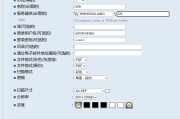
When scanning to a shared folder using the 2014 series machine settings, the machine prompts "server response error" and cannot scan. In the same network environment, there are other models of Ricoh machines that can use SMB scanning normally. The same computer, the same ..
Catalog: 1. Installation precautions: 2. Mobile machine: 3. Installing toner bottle: 4. Removing the sealing strip of the developing chamber: 5. Connecting the machine power supply: 6. Machine initialization and operation: 7. Loading paper into the paper box: 8. Setting ..
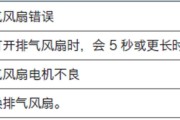
Symptom SC531-00. Repair process 1. A MP2014en reported SC531-00 when turned on, and the repair manual confirmed that the exhaust fan was faulty. 2. First, replace the exhaust fan directly and then turn it on for testing. The fault still persists. Because ..
Trouble phenomenon: a 2014 machine customer response is weak. On-site inspection found that the customer printed with a computer, and the main scanning direction of the image was different. Processing process: open the cover plate during the copying process and find that the drum surface image also has different shades...
MP2014 copy paper jam, stuck in the alignment roller, the first paper box hand fed paper box is the same paper jam, check that the transfer roller cannot rotate, solution: remove the transfer roller, clean the shaft sleeve and apply lubricating oil, troubleshoot .., Ricoh/Christie's, Ricoh ..