
|
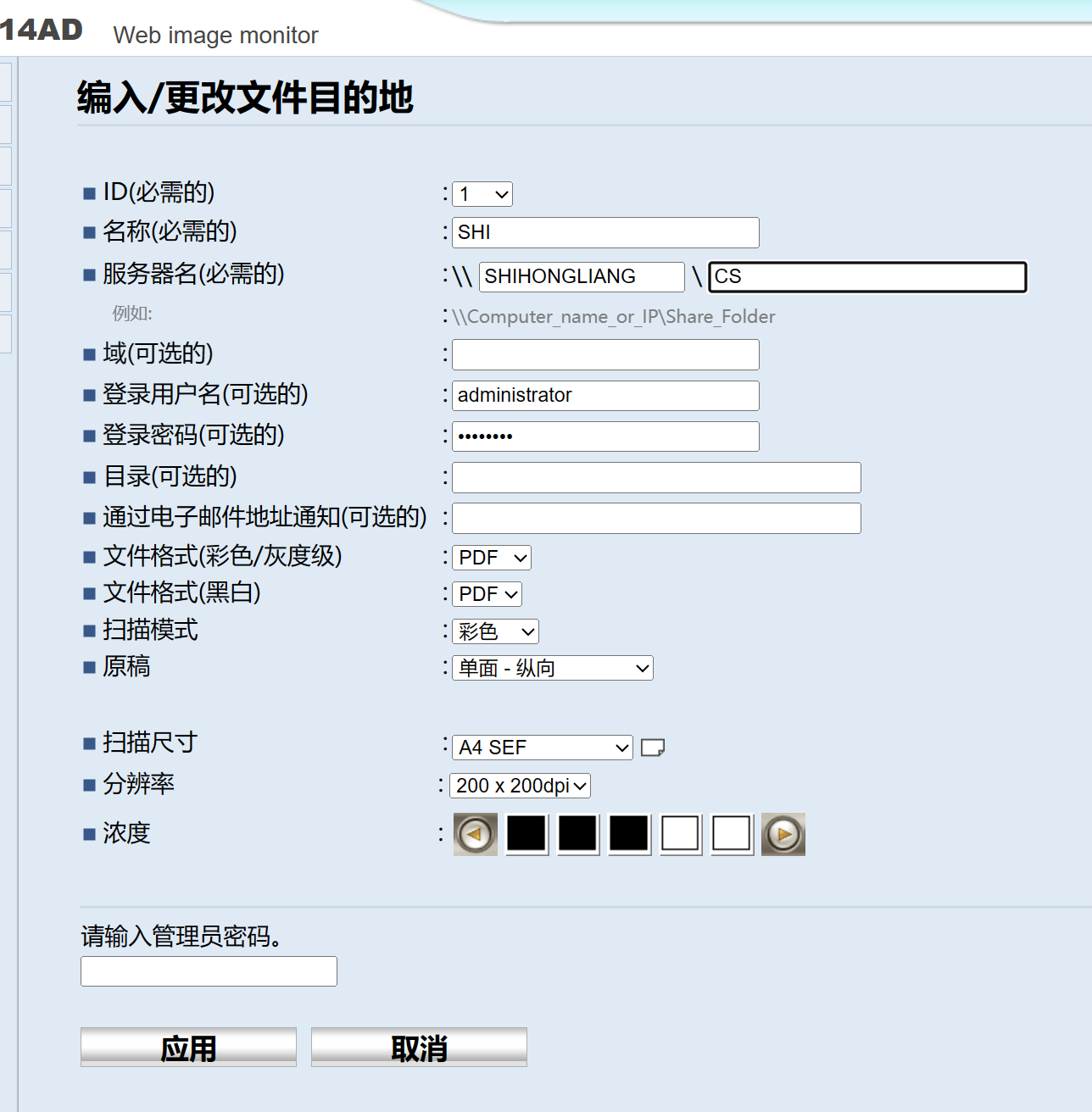
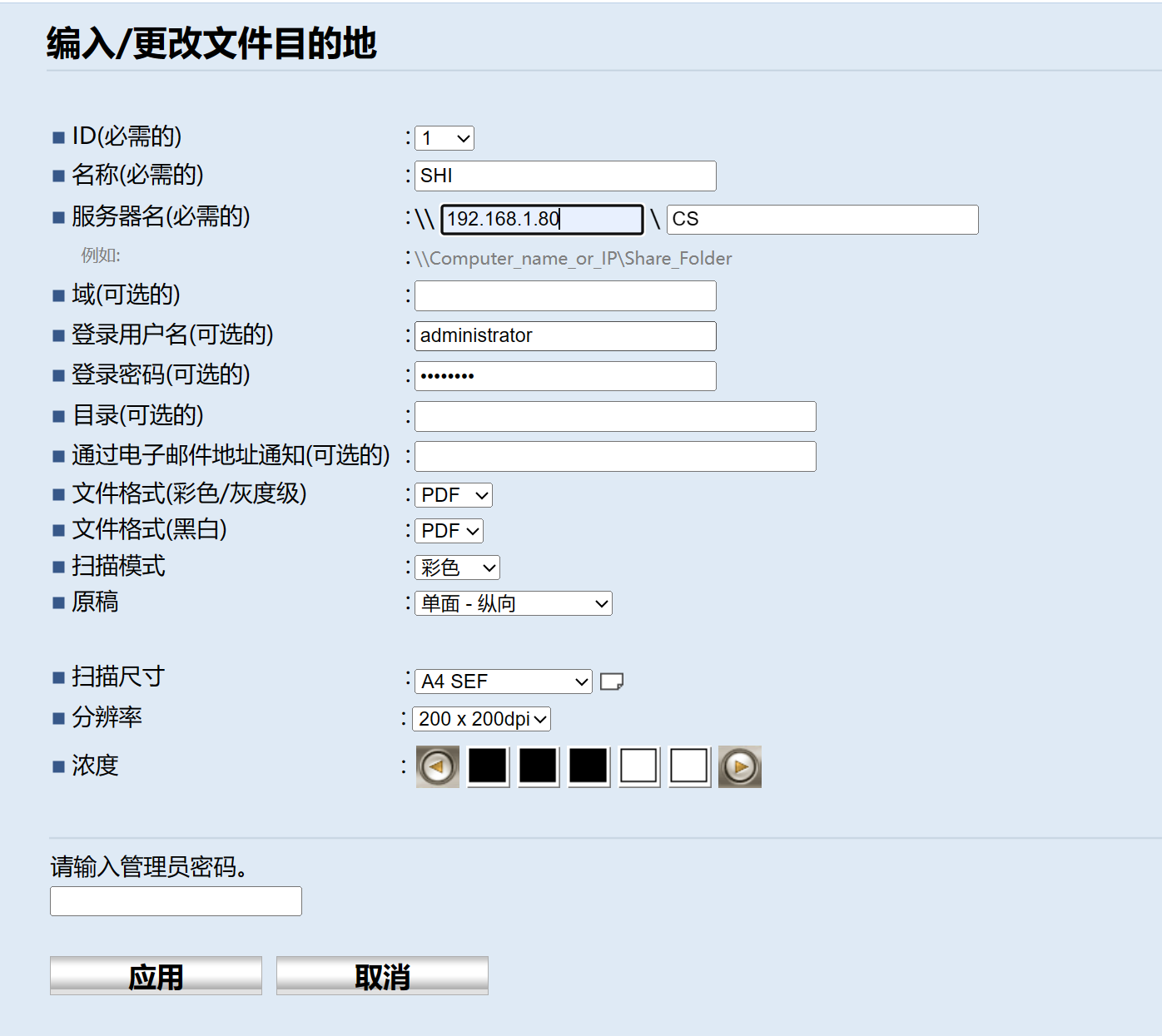
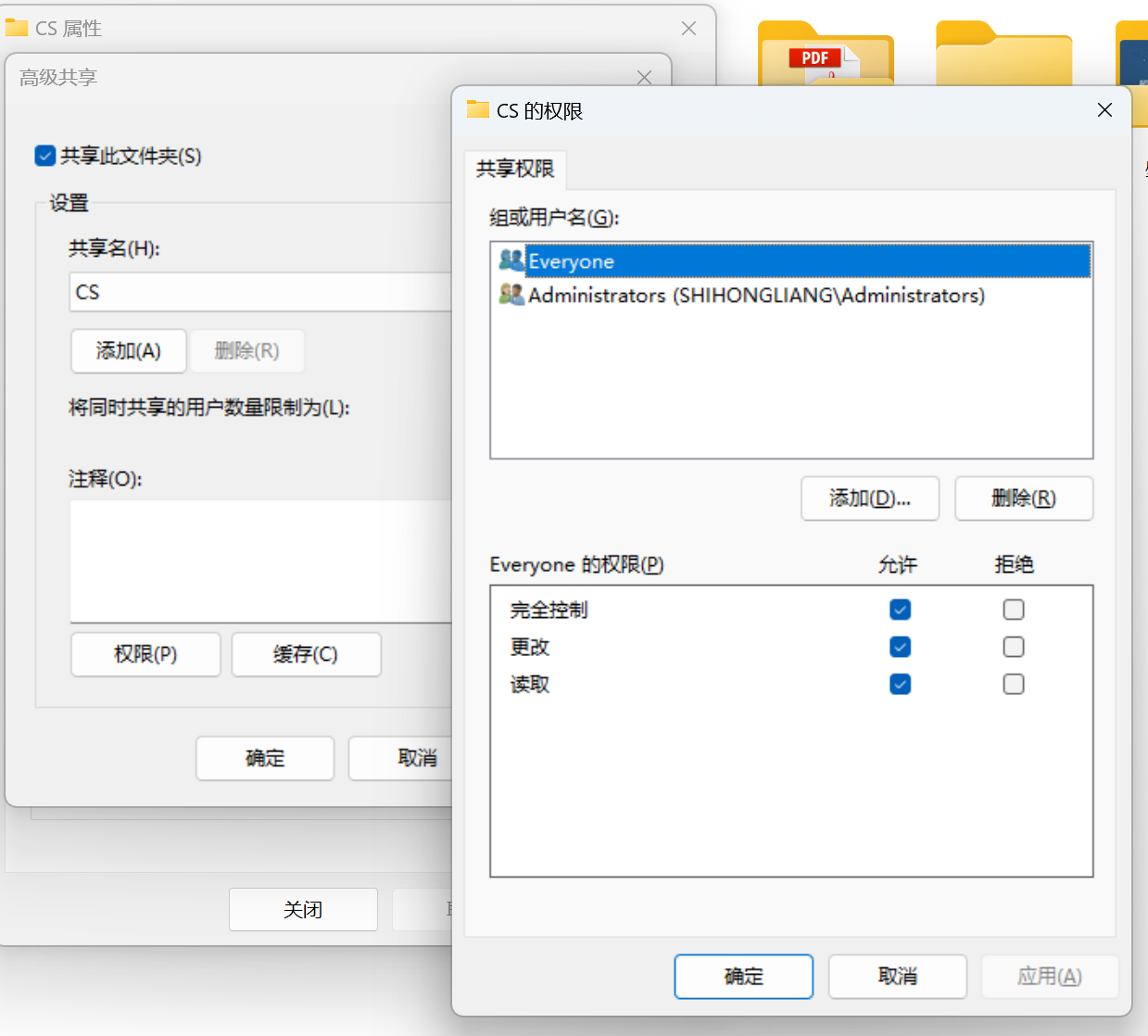
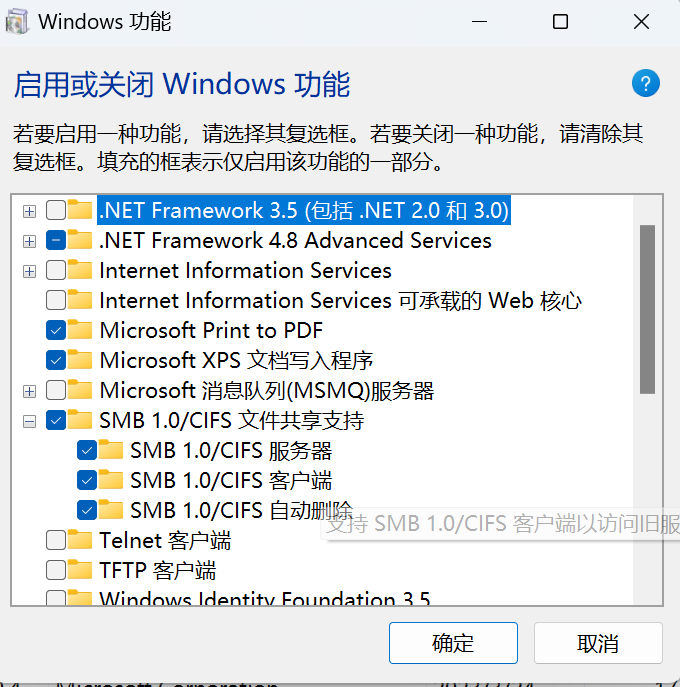
When scanning to a shared folder using the 2014 series machine settings, the machine prompts "server response error" and cannot scan. There are other models of Ricoh machines that can use S MB scanning normally in the same network environment. However, for the same computer, folder, and network environment, 2014 scanning cannot be performed. Attempting to directly connect to the computer via Ethernet is invalid, attempting to use the computer's IP address as a path is also invalid, attempting to upgrade the machine firmware to the latest version is invalid, the S MB protocol of the computer is also enabled, and TWAIN scanning works normally in the network connection state. Finally, it was found that creating a regular user account on the computer can scan normally. This indicates that there may be slight differences between the S MB scanning of the 2014 series machines and the S MB scanning of our SOP screen machines. When scanning with the administrator account on the computer, the SOP screen machine can be accessed normally, but the 2014 series machines may not be able to access the shared folders under the administrator account. It should be noted that when creating a new ordinary user account, an account password must be added. If the user account does not have a password, it cannot be scanned. When creating a path in the address book, be sure to enter the computer's user account and password (although it is optional).
|
Address of this article:https://073868.com/post/1311.html
Copyright Notice:
For relevant infringements, reports, complaints and suggestions, please send E-mail:weixiuwang68@qq.com
Tags: #SMB #shared folder #Scan #2014 #Shared scanning






