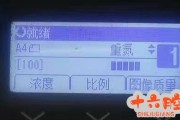
MP2014/2014/2014AD Ricoh MP2014 display error: After turning on the diazo machine, it displays "diazo" in the original type position, as shown in the following photo: Diagnostic process 1) Check the settings in the user tool and restore them to ..
The startup interface of Ricoh MP2014 shows Initialzing... prompt loading, unable to enter the copying interface, and the machine has no action. This content has been hidden by the author. Ricoh/Kingston, Ricoh ..
An MP2014AD with an M16 network card was set with an administrator password by the customer and forgotten, resulting in the inability to set the scanning destination. Upon arrival at the scene, it was accidentally discovered that the following method could be used to avoid replacing the EEPROM (without clearing the counter) ..
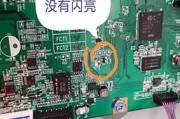
The startup report SC120-00 indicates that the in-situ sensor did not work even after replacing the motherboard. Finally, the fault code was eliminated after replacing the power board. Ricoh/Kisteya and Ricoh copier were repaired ..
MP2014AD print image deformation, text and image part is compressed; fault proofs: possible reasons: PCDU bad, laser unit bad, the main motor bad, bad paper; maintenance process 1. on the basis of image deformation,...
[*] Ricoh 2014AD has been in the boot interface all the time and cannot enter the copy interface. Through investigation, there is a possibility that the panel plug-in and the panel has problems, and the problems cannot be solved after testing. [*] with u * line connection customer service computer test, can boot...
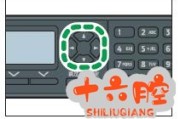
Symptom MP2014: Scan to folder. How to scan multiple pages of original manuscript into a PDF file? The green box in the diagram is the directional key. * * * * This content is hidden by the author. * * * * Note: Multi page files are only suitable for scanning format PD
After replacing all circuit boards, NVRAM will automatically restore both settings and counters after restarting. **** This content has been hidden by the author ****, Ricoh/Kyocera, Ricoh copier repair...