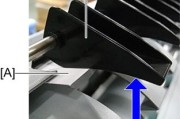
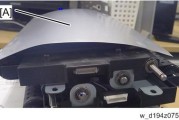
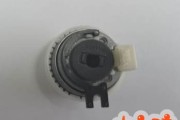
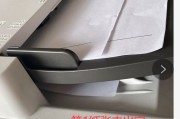
Symptom Print on black or color paper, paper jam 98 occurs. Cause printing on black or color paper, applying the maximum optical power, the CIS incorrectly detects the fan duct of the alignment unit as the edge of the paper. Failure rate: about 20%.(CI...
Causes of paper jams related to double-sided/reverse fine particles and thick paper [*] Insufficient transfer force of thick paper leads to frequent paper jams (especially J080, J085, and J086).[*] Double-sided printing length is less than or equal to 215.9 m...
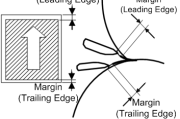
Insufficient separation of the thin paper causes paper jams The lack of margins at the tip of the paper allows the fuser roller's separation plate to grab the paper, causing paper jams. When double-sided printing, the lack of margin at the end of the paper allows the pressure-side separator to grab the paper. Very easy to happen....
The reason for J080 is that the alignment position of the secondary scan is checked and calibrated by increasing/decreasing the line speed of the transfer timing roller. If the paper position exceeds the threshold (± 3.0 mm), J080 occurs. [*] Smooth paper, low friction coefficient between papers, conductivity ..
Display J033/J082 (small size paper, metal paper and paper with a paper weight of 7 or more) Cause the paper is deformed on the transfer belt, such as a bridge shape, which may cause paper jam (J033: fixing paper, J082: paper transfer belt...
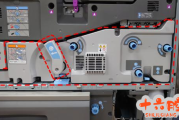
The symptom appears J45, when the Z2 guide is opened to clear the jammed paper, the jammed paper is stuck on the double-sided transfer roller 4. Cause The drive belt of the double-sided transfer motor 2 is loose. Solution Use the following procedure to tighten the drive belt. 16. remove the drawer...
Symptoms: When using ARDF3110 to copy or scan, the paper jam analysis process is displayed: 1. Clean the paper roller and paper feeding belt in the document feeder, and the fault remains. 2. Replace the entire paper pickup assembly for testing, and the fault remains. 3. Observe the paper rubbing situation of the document feeder...
Symptom: On an MC2000 machine, after scanning a single sheet using the standard feeder, the feed roller continues to rotate for 20 seconds before an error occurs. When scanning multiple sheets, the first sheet scans normally, but the second sheet jams when it has advanced about one-third of the way into the scanner. reason: as a result of ADF paper path sensor, sensor...
Print single-sided and check for paper jam. Check if the fixing mechanism rotates according to the paper jam code. Remove the oilcloth and reapply oil. Then open the machine transfer belt to check if the toner cartridge rotates normally. Found that the waste powder wrench of the transfer belt component has not been returned to its original position. Disassemble the waste powder accumulation of the transfer scraper assembly ..
Fault: once in a while, one or two sheets can't be printed. sometimes one sheet can't be printed, and then the paper jam is reported. after disassembling the machine, no paper jam is found. at first, I thought there was a problem with the printer driver. I downloaded the latest driver directly from HP website and deleted it...