
|
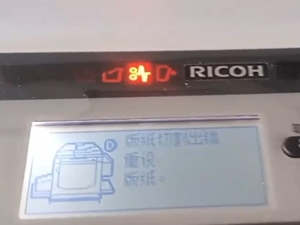
Symptoms: During the plate making process of the digital printing machine DD3344, there was a display of D paper jam and an error in cutting the plate paper. As shown in Figure 1
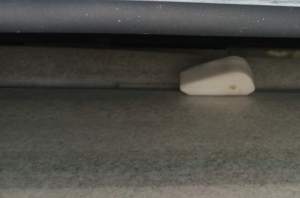
Analysis reasons: 1. Poor or dirty contact of the in-situ sensor of the printing cylinder. 2. The plate making unit drives abnormal plate paper. 3. The paper cutter is abnormal. 4. MPU board abnormality. Measures: 1. Check and clean the in-situ sensor, no abnormalities found. 2. Check the drive part of the plate making unit and no abnormalities were found. 3. Check the paper cutter and ensure that it rotates normally without load when entering the SP. When the load rotates, the paper cannot be cut open, and the cutting blade cannot return to its original position and stops halfway. (as shown in Figure 2).
4. Dismantle the paper cutter and find that there is broken paper on the cutter. Clean it thoroughly, reinstall it, and test the machine normally. Solution: Due to the paper scraps getting tangled around the paper cutter, the cutter cannot cut the paper in a timely manner after the machine plate is made, resulting in the blade head on the cutter being unable to return to its original position. Therefore, the machine prompts an error in cutting the paper. At the same time, the machine sensor detects that the plate paper is stuck on the plate making unit, and the machine also prompts for a paper jam in position D. After cleaning the paper cutter, the machine was tested and found to be normal. |
Address of this article:https://073868.com/post/5491.html
Copyright Notice:
For relevant infringements, reports, complaints and suggestions, please send E-mail:weixiuwang68@qq.com
Tags: #3344c #Paper cutting #Paper jam #Paper cutter #In-situ sensor







