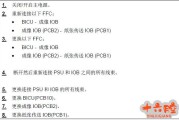
Symptoms The machine has a SC665-05 malfunction after startup. Cause Maintenance Process On-site Maintenance Measures: 1) Disassemble and inspect the BICU board, imaging IOB board, paper transfer IOB board and PSU board related connection wiring harness. start the machine detection so...
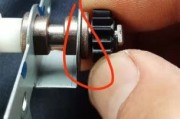
Symptom 1. A Ricoh IMC2000 produces a "daddadada..." abnormal noise when printing and copying color output; Possible reasons: ITB malfunction/color contact motor malfunction/color contact cam malfunction. Repair process: 1. On site inspection ..
Symptom: The machine is using the traditional interface scanning function. Press the "Start" key on the touch screen, the machine does not act, and other jobs are using this function. Please wait for the current job to finish. To use other features, return to the home page. Reason: machine......
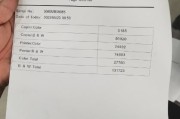
Symptoms IMC2000 The image shifts to the left (long side paper feed) Reasons 1. Black PCDU failure 2. Transfer unit failure 3. Laser unit failure 4. Black drum motor failure 5. Imaging IO board failure 6. Paper...
Trouble phenomenon: the glass of the manuscript table is copying normally, the printing is normal, and the copy is slightly skewed (the vertical line is unbalanced with the edge of the paper) when using the manuscript feeder to copy. the maintenance process: 1. the side rail board is invalid 2. the paper wheel of the manuscript feeder is invalid 3. try to adjust the delivery...
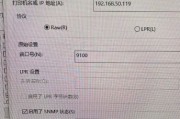
symptoms of a Ricoh imc in the network printing process there will always be a normal text print after the multi output garbled print sheet; possible causes: poor drive/bad machine/bad network/set up the problem of maintenance process 1. site view fault, machine boot...
Symptoms: There is abnormal noise during the operation of the machine, which is preliminarily judged as the abnormal noise generated by the powder adding mechanism. Analysis reason: the powder adding mechanism used by the color machine is divided into two parts, one part is to add the powder from the powder bottle to the storage hopper, and the other part is to add the toner from the storage hopper....
Symptoms SC101 Error Affected Models: MC2000(D0D8) Cause The tape attached to the FFC falls off, preventing the scanner bracket from moving. Solution Replace the FFC (see the steps below) Note: Remove the tape...