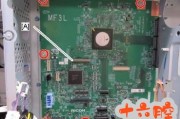
Symptoms The machine often crashes after starting. Restart the machine for normal use. (Note: The crash phenomenon will cause failures when starting the machine and saving energy after using the machine) Reason 1) The machine motherboard BICU is not good. 2) machine chip EEPROM...
Symptom 1. After installing a new IMC2000 machine, a green background appears on the scanned copy, but the printing is normal and the copying fault is the same; Fault sample diagram: Possible causes: CMOS unit fault/setting issue/PCB issue (BICU/reference) ..
Phenomenon: After receiving a print signal, the machine prints normally; however, if there is insufficient paper in the paper tray, the machine will stop and enter standby mode once the tray is empty, without displaying any low‑paper warning (even though the print job has not been completed). But in the process of copying...
Symptom: The machine copies color samples and produces red stripes in the printed product (as shown in the figure below, the left side of Figure 1 shows the original image effect, and the right side shows the copy effect). After printing multiple pages, the position and concentration of the magenta stripes have changed (as shown in Figure 2). Analysis of reasons and measures: 1 ..
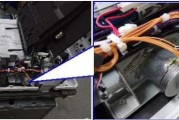
Symptom malfunction: DF3110 paper jam. Repair process 1. When using DF3110 for copying, the machine jams. First, print the machine counter page normally and confirm that the jam is caused by DF, not by the machine's printing engine. ...
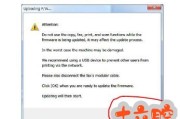
Firmware Update Note 1. Do not operate the machine through the operator panel, access the machine through the Web Image Monitor, or perform fax sending, printing, or TWAIN scan jobs during the update process. 2. updated...
Phenomenon: When the machine makes abnormal noises, the following methods can be used to identify the source of the problem. Repair process: 1 Enter 218 maintenance mode and execute SP1-153-1. At this time, the machine will run the fixing motor at idle speed for 60 seconds. 2....
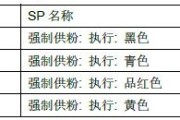
Phenomenon: The operation inspection of the powder supply motor and the toner bottle drive motor needs to be carried out through forced powder supply, rather than through output inspection. Repair process: * * * * This content is hidden by the author * * * .. Ricoh/Kiester, Ricoh photocopying ..
Symptom: The customer's machine has network security requirements and only uses USB connection for printing. However, when the machine is turned on, it always displays "The machine is not connected to the network", and the customer requests that this message not be displayed. Solution: Go to User Tools - Machine Features - System - General Settings - Network Not Available ..