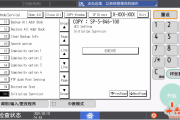
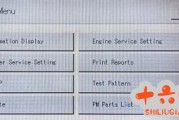
Symptom: The machine administrator password and supervisor password for MFP have been forgotten, making it impossible to modify the settings of user tools. Repair process * * * This content has been hidden by the author * * * 2. Price "EXECUTE" and restart ..
M C2000 computer and machine wireless connection customer hotspot printing setting steps note: when using this function, the machine's wired network port printing function can still be used! 1. In the shutdown state, insert the optional wireless network card into the U on the machine controller board...
Phenomenon: When the color machine has an image problem, it is necessary to distinguish which color channel causes the problem. The following steps can help the repairman to judge the fault. maintenance process: through maintenance mode print each monochrome full format test figure 1. enter the maintenance mode:...
The main body of the document on the IMC2000 manuscript is black, and only one side has a red saddle seal. When copying or scanning such documents, if "automatic color selection" is selected, the printed output or scanned copy is black and white, and the customer wants the saddle seal to be in color...
How does Ricoh M C2000 enter maintenance mode & print SMC report * * * * this content is hidden by the author * * * *, Ricoh maintenance video, Ricoh copier maintenance...
Symptoms When the customer scanned the network for security, he found that Ricoh MFP machine had opened the 10021 port, but the relevant settings were not found in the Web page of the machine. maintenance process 1. confirmed 10021 port is Web Smart...