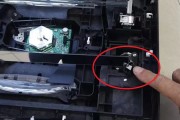
Printing is normal, the glass copy on the manuscript table is normal, but there is a blue background gray when copying with the document feeder. Upon careful observation, it was found that the narrow glass strip was installed upside down. After the manuscript table brought the small glass straight over. Copying again will be normal. . .. Ricoh/Kiester, Ricoh copier ..
Symptoms: After a IMC2000 machine is installed, the USB socket of SOP is used to scan the stored files, but the USB device (U disk) is not recognized. analysis and solution: usb storage device (u disk) no...
Symptom: During the initial setup of the MC2000, the black toner cartridge is not recognized, while the other colors function normally. Analysis process: 1. Reinstalled the black toner cartridge and inspected the toner detection chip; the issue persists. 2. After replacing the toner cartridge with a new black one, the issue persists....
fault phenomenon: new user tools under the open remote screen control method of processing: 1. reset -806182-## c enter the maintenance mode of the screen select "screen device settings" 2. select "Applicat...
Symptom: After replacing the laser unit, the execution SP2-111-004 prompt cannot be completed. Analysis: Since it is a newly replaced laser unit, it is considered that the initial value of the laser may not be uploaded to the machine, and the sample block is missing or the concentration is not high during line alignment adjustment...
Symptoms: "crash" occurs when MC2000 uses the document feeder to copy, and the normal analysis process of the document desk: 1. The fault remains after the document feeder is plugged and unplugged again. 2. Replace the document feeder test, and the fault remains. * * * * this content is the author of the hidden...
Fault phenomenon: Currently printing/copying with color deviation and slight ghosting, as shown in the figure below (normal output above, color deviation issue below). Suspected use of substitute toner. Processing steps: 1. Automatic color calibration still fails after cleaning the ID sensor. 2. Cleaning image transfer ..
Replace the SR3260 stapler back roller without removing the front and rear cover plates and other accessories. 1. Enter the maintenance mode SP6160-4 → on,2. Lift up the upper limit switch levers A and B of the movable paper tray by hand and execute SP6 at the same time...