
|
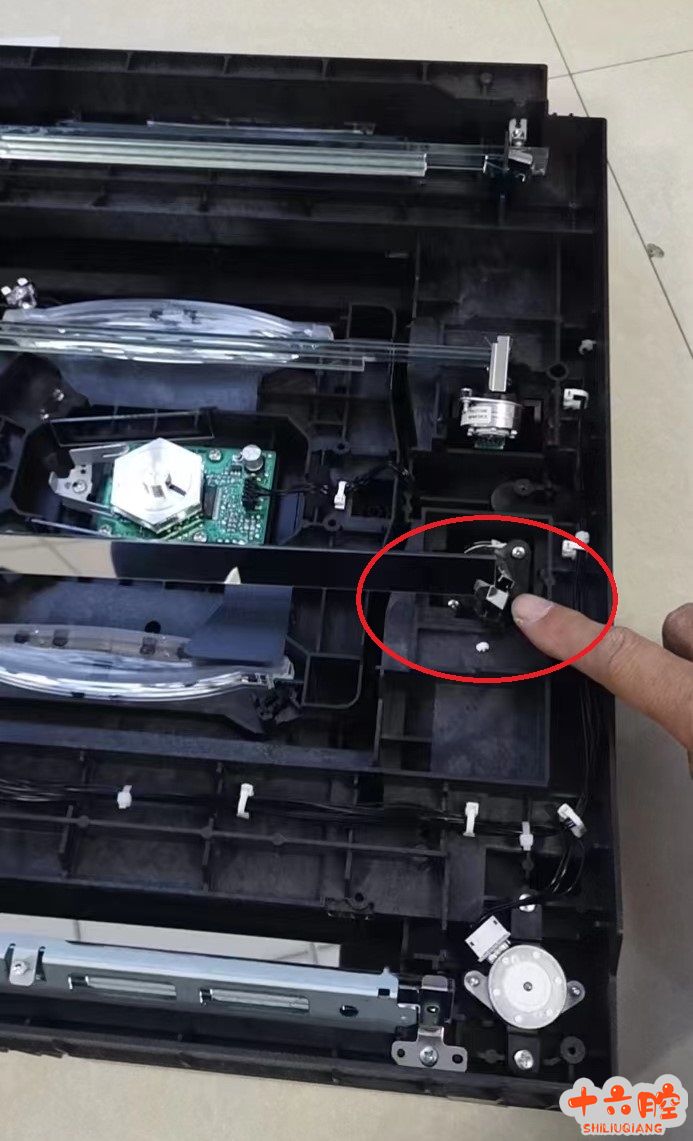
Symptoms: After replacing the laser unit, executing SP2-111-004 prompts that it cannot be completed. Analysis: Due to the fact that it is a newly replaced laser unit, it is possible that the initial values of the laser have not been uploaded to the machine. Missing sample blocks or insufficient concentration during line alignment adjustment may also affect the execution results of SP2-111. Measures: SP2-110-005 (writing initial data of laser unit), still unable to complete line alignment adjustment. 2. SP2-194-010 to 013 checked the line alignment and adjusted the detection values of each color. It was found that SP2-194-011 had a magenta value of "3" and the detection pattern was missing (the number of detected rows was less than the fixed number). 3. When performing color maintenance and printing the test page, it was found that the magenta sample image was incomplete (as shown in the picture). From the analysis of the sample image, using long edge paper to print the sample image, the problem should have occurred in the laser unit or PCDU. Considering that the laser is newly replaced, the laser should be checked first. 4. Upon inspection of the laser, it was found that one end of the magenta second reflector was detached from the fixed slot (as shown in the figure). Due to the fact that the laser optical reflector is fixed with elastic snap springs, it may become dislodged under strong vibrations, causing the laser beam to fail to correctly expose the drum and thus unable to form a complete detection sample image in the front, middle, and back of the image transfer belt, affecting the detection results of SP2-111 and making it impossible to complete the line alignment adjustment.
Solution: Reset the reflector, SP2-111 completed execution, and the fault disappeared. |
Address of this article:https://073868.com/post/1207.html
Copyright Notice:
For relevant infringements, reports, complaints and suggestions, please send E-mail:weixiuwang68@qq.com
Tags: #C2000 #Missing pattern #Incomplete image #C3500







