
|
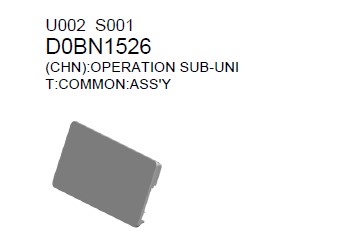
Symptoms: After a IMC2000 machine is installed, the USB socket of SOP is used to scan the stored files, but the USB device (U disk) is not recognized. Analyze and resolve: USB storage device (U disk) is not recognized, there are many possible reasons, need to be gradually checked. 1. Check the screen device settings to check the USB port and control panel USB slot status, it is valid; 2. Set the USB port to invalid, restart the machine, insert the U disk again, and still cannot be recognized; 3. Check that the U disk is write-protected and not open; 4. Check the format of U disk, which is FAT format (NTFS is not recognized); 5. Replace the U disk that can be normally read by other machines and is still not recognized; The reason for the U disk can be ruled out; 6. SOP firmware upgrade, U disk is still not recognized; 7. Replace the SOP unit, screen device settings: USB port and control panel USB slot status, valid; U disk is recognized, can be normal scanning and printing! Solution: Replace SOP unit (part number: D0BN1526).
Note: The USB storage device is not recognized. There are many possible reasons, including the USB flash drive and the machine hardware and settings, which need to be checked step by step. |
Address of this article:https://073868.com/post/1370.html
Copyright Notice:
For relevant infringements, reports, complaints and suggestions, please send E-mail:weixiuwang68@qq.com
Tags: #C2000 #SOP #Control panel #U disk not recognized #c2500






