
|
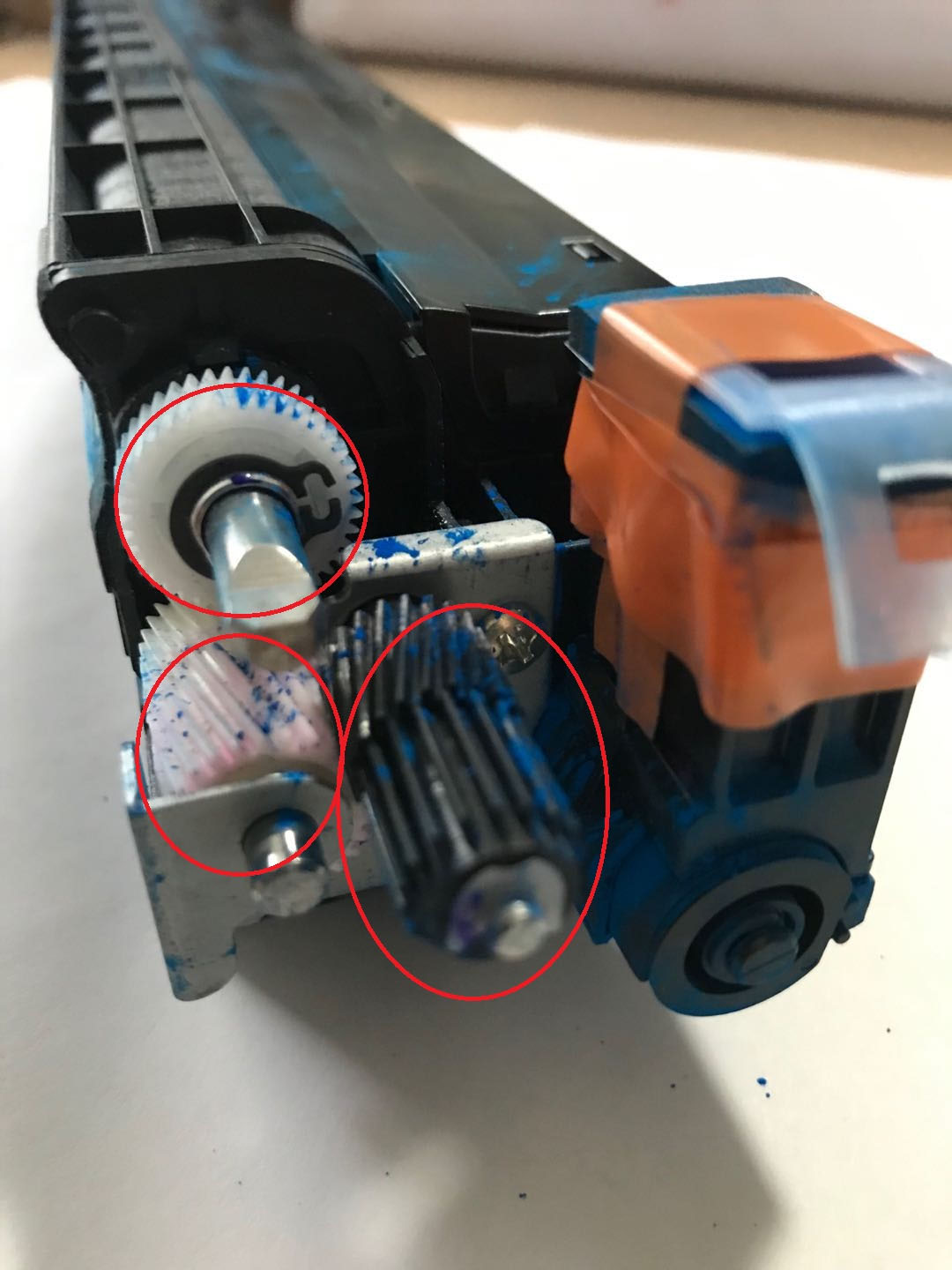
Symptoms Fault: There is a rattling noise when printing and copying IM C2004. This malfunction has occurred multiple times and was previously resolved by replacing the developing unit, but it reappeared shortly thereafter. Maintenance process 1. There was abnormal noise during testing printing, and it was confirmed that the abnormal noise was caused by the imaging engine. After checking the print quality, the ACC sample image was printed normally, but the specific hardware that caused the malfunction could not be confirmed. 2. Use SP5804 to test the paper path, hand feed, transfer belt, and their contact release, PTR contact release, drum unit, hopper, powder bottle, and fixing unit motors in sequence. All motors are normal. When testing the color developing motor, abnormal noise appeared, confirming that the fault was caused by the color developing unit. 3. Continue to use SP2109-001 to select the test image, and perform printing tests on SP2109-005 by selecting four colors in sequence. If there is abnormal noise when printing with cyan and magenta, confirm that the fault is caused by the cyan and magenta developing units. 4. Disassemble the blue developing unit for inspection. When manually rotating the developing gear, it was found that there was a high resistance and accompanied by the sound of teeth hitting.
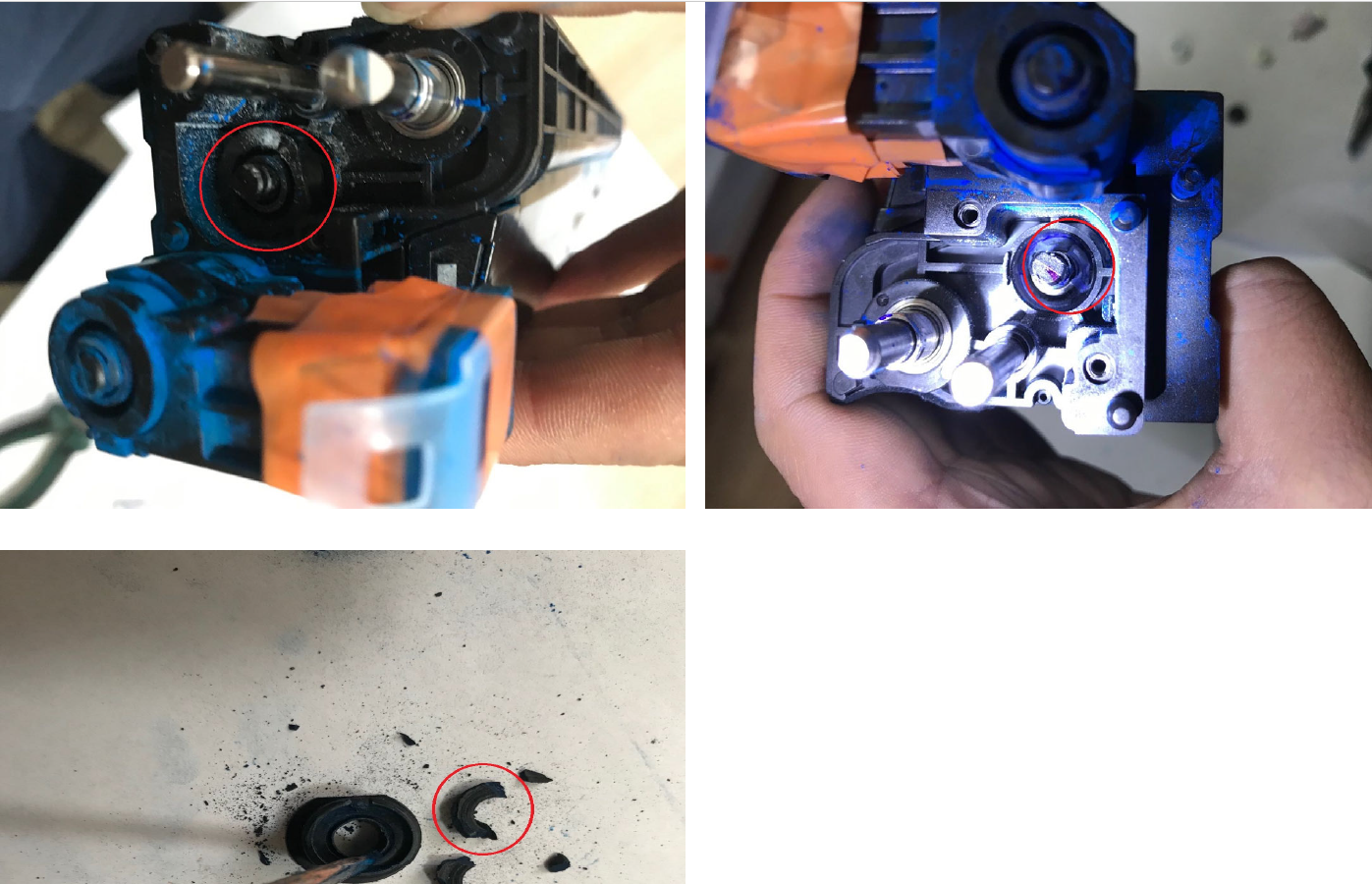
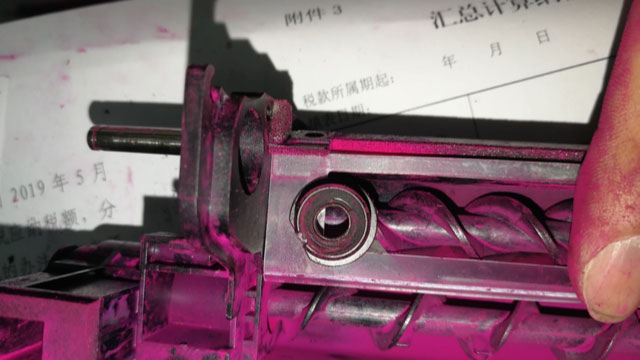
5. Remove the black gear, which has a black shaft sleeve at the back. After removing this shaft sleeve, many carbon deposits will be found.
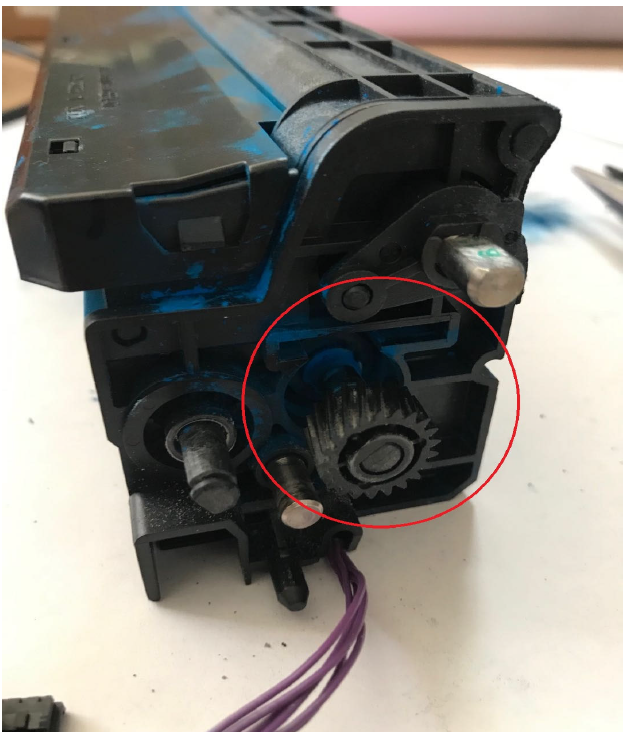
6. After removing the carbon deposits on the shaft sleeve, disassemble the other end gear in the developing chamber and clean it according to the previous method.
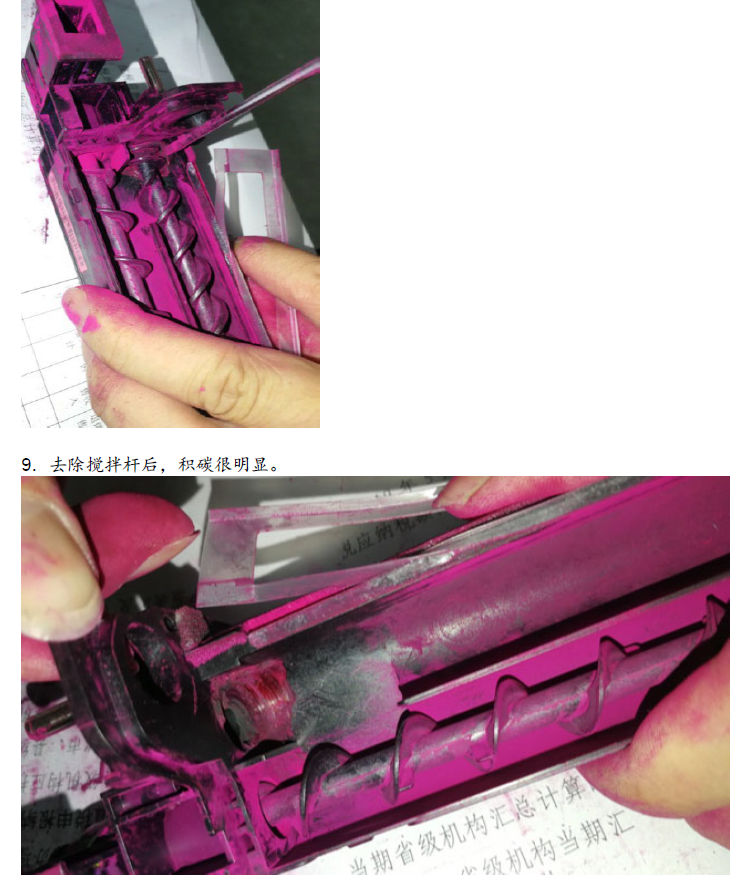
7. Put the gear of the mixing rod back on and rotate the mixing rod until it rotates flexibly. If there is still a lot of resistance during rotation, it is because the foreign objects have not been cleaned thoroughly. After cleaning, rotate it normally and then restore the developing chamber. Manually rotate the drive gear normally and the sound of teeth grinding disappears. 8. Continuing to remove the magenta developing unit, after cleaning the above-mentioned cyan developing chamber, it was found that the rotating gear was normal, but there was still abnormal noise. After disassembling the developing unit, pouring out the carrier and removing the developing roller for inspection, it was found that there was also a thick layer of carbon deposits at the installation shaft sleeve of the carrier stirring rod at one end of the powder inlet.
10. Clean up the carbon deposits here.
After restoring this unit, manually rotate it normally without any abnormal noise. Test two units on the machine, the abnormal noise disappears, ACC adjustment is performed normally, and the fault is eliminated. Solution After thoroughly cleaning the carbon deposits inside the developing unit, troubleshoot the issue. Note: 1. In this case, the fault occurred repeatedly for a short period of time and was resolved by replacing the developing unit. Therefore, the cause of the fault was confirmed through disassembly and inspection. 2. This type of malfunction often occurs on low-speed machines. 3. If this type of malfunction continues, it will cause blockage in the storage hopper pipeline, resulting in the breakage of the mixing rod in the storage hopper. |
Address of this article:https://073868.com/post/5703.html
Copyright Notice:
For relevant infringements, reports, complaints and suggestions, please send E-mail:weixiuwang68@qq.com
Tags: #C2000 #Abnormal noise #Developing #Ricoh







