
|
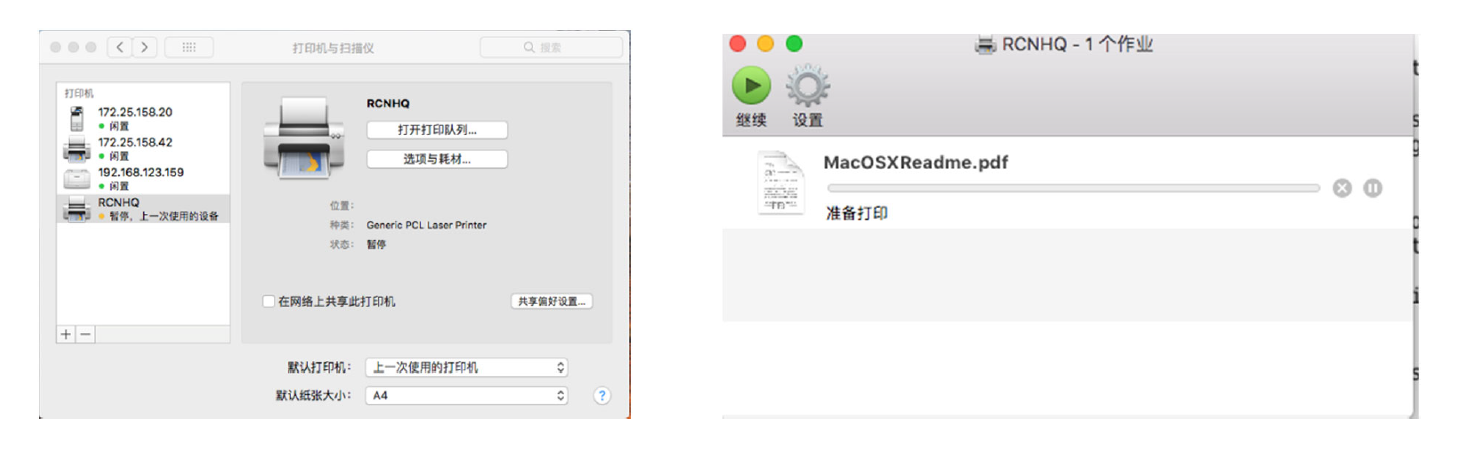
Fault: iMac or MacBook connected to shared printer IM C2000 failed to print and cannot print. Possible causes 1. Mac OS and MFP firmware. 2. Network. Maintenance process 1. Install a new IM C2000 and use a shared printer for printing tasks. After installation, test and print normally, 1. Two days later, it was discovered that there would be a malfunction where iMacs or MacBook could not connect to the printer. 2. In the client's office environment, except for iMacs and PCs using Windows, when a malfunction occurs, Windows PCs print normally, but some iMacs cannot print. The error message is as follows:;
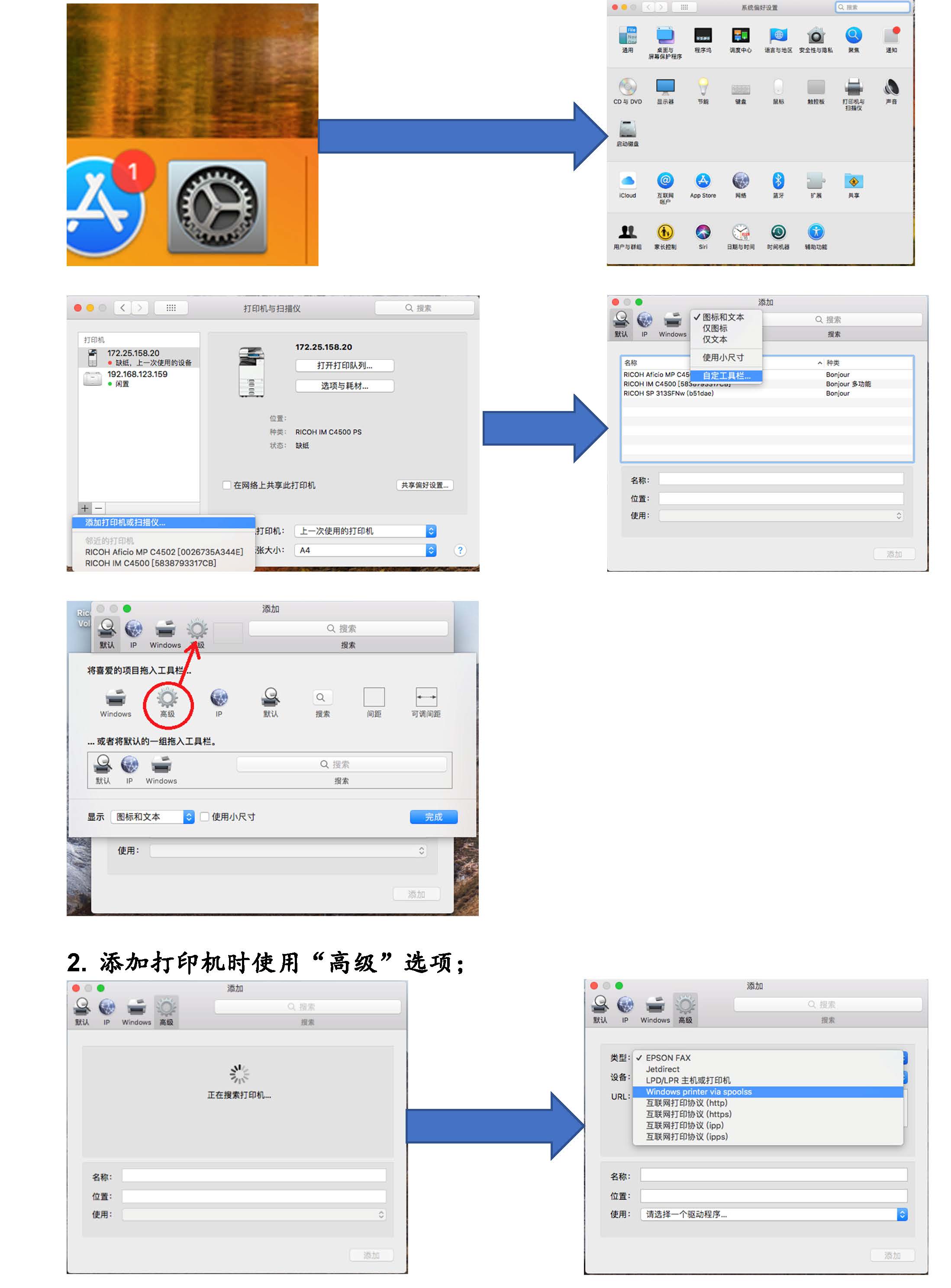
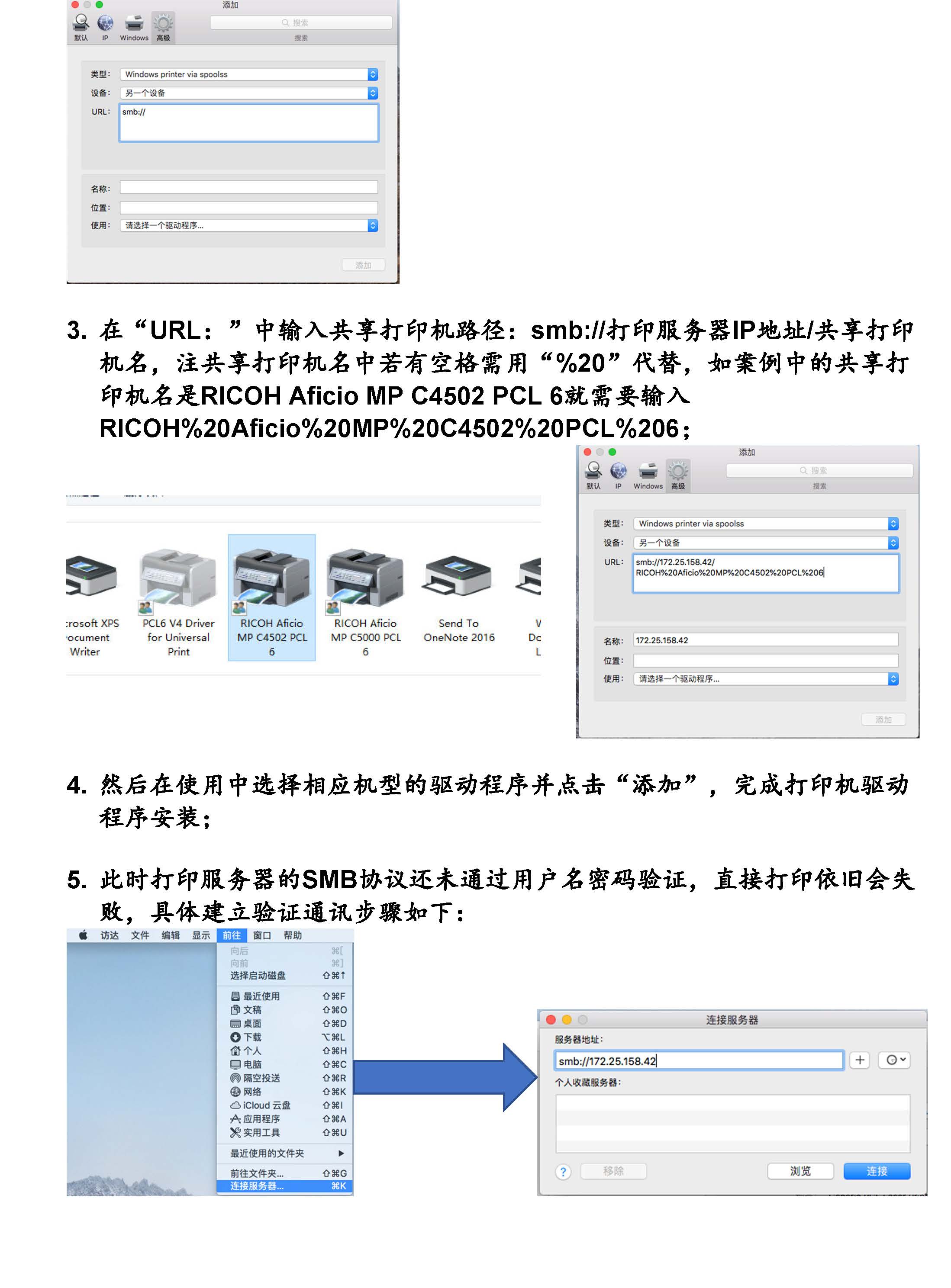
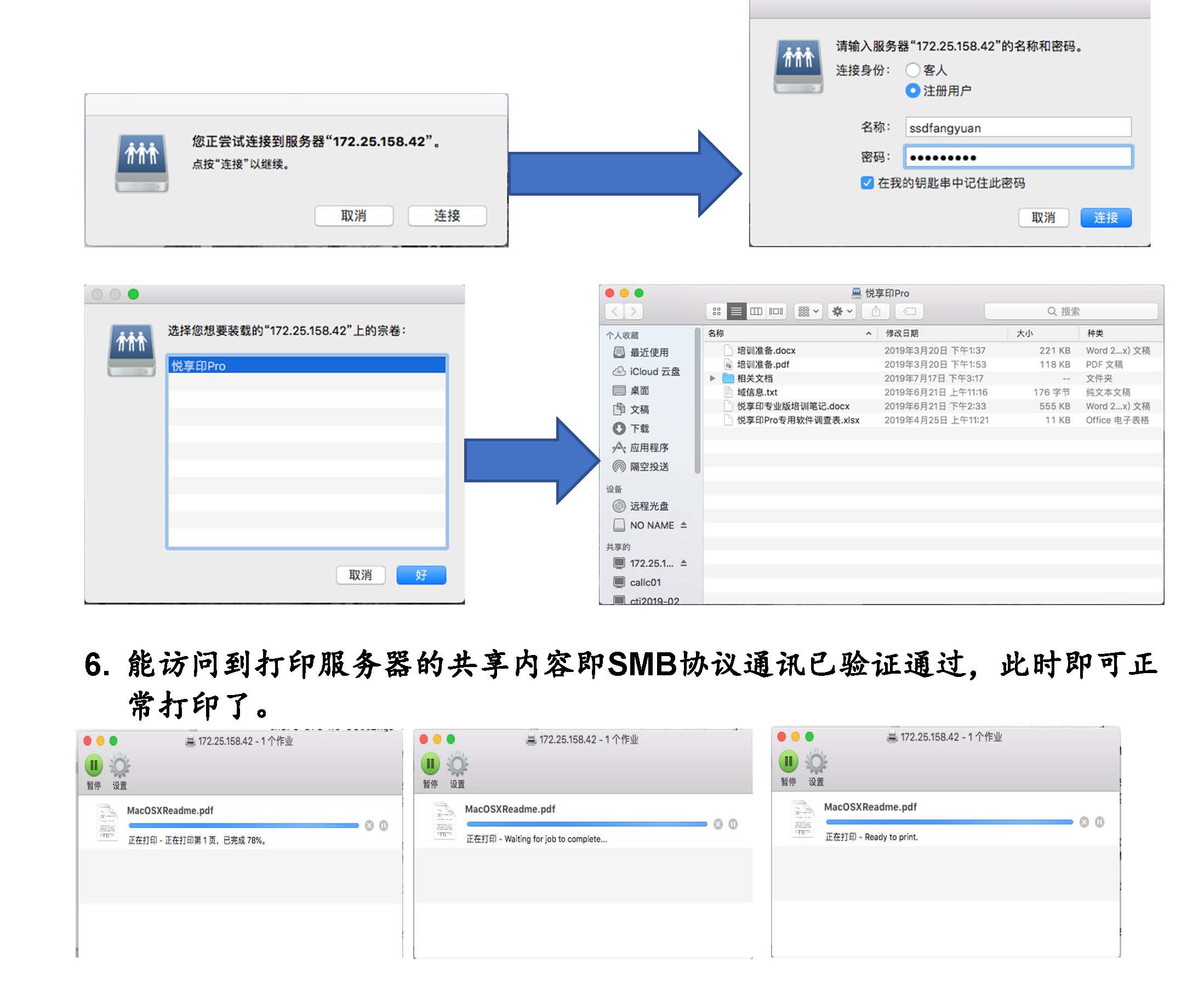
3. It was found that Mac OS shared printing uses the SMB protocol, so the fault was resolved after adding the shared printer again. Solution 1. Add the "Advanced" menu to the "Printers and Scanners" option in Mac OS:
|
Address of this article:https://073868.com/post/2899.html
Copyright Notice:
For relevant infringements, reports, complaints and suggestions, please send E-mail:weixiuwang68@qq.com






