Symptoms: When using ARDF3110 to copy or scan, the paper jam analysis process is displayed: 1. Clean the paper roller and paper feeding belt in the document feeder, and the fault remains. 2. Replace the entire paper pickup assembly for testing, and the fault remains. 3. Observe the paper rubbing situation of the document feeder...
After upgrading the symptom firmware, it is no longer possible to set the scanning destination from the historical records. Usage: After upgrading the new firmware, when SP setting SP5-888-001 is enabled, even if user authentication is disabled, personal information is still available ..
Improve scanning efficiency when limiting attachment size. Many enterprises have attachment restrictions on their mailboxes, some even have only 10 megabytes and group sending only 2 megabytes (note that some enterprises have no restrictions on single sending and group sending, and try to let customers forward and copy after single sending...
The symptoms are to ask how to use the mixed size, please refer to the following steps to perform the use. The maintenance process must first ensure that the paper tray is placed in the same size as the original. 1. copy/scan: can be mixed size of the original placed at the same time....
IMC3000 prints normally, and color bars appear in the main scanning direction at the bottom of the printed material during copying and scanning; Fault photo: Possible causes: poor CMOS/SBU/SBU cable/BUCU repaired ..
Many machines have a need to scan emails, but they do not have their own SMTP server. Using a 163 email will prompt for a separate security code, which needs to be bound to the phone or will expire in a few days, which is very troublesome. Besides purchasing from Alibaba or ..
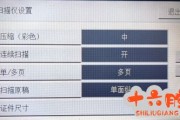
Phenomenon: When scanning multiple original documents on the glass surface of the manuscript table, it is not possible to scan them into multiple pages. Repair process: Settings need to be implemented in the user tool to scan multiple original documents on the glass surface of the manuscript table into one multi page file. Solution: Follow the following steps .....
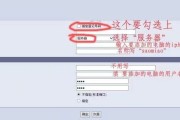
customer a xerox printer needs scanning function, but how to set up all prompts scanning failure, after constant groping and baidu information, perfect to deal with this problem 1. the establishment of a folder, name at random (preferably use pinyin perhaps simple letters...
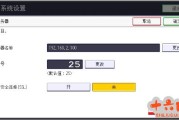
Symptom: After the installation of the IMC2000 new machine is completed and scanned to the email settings, it prompts a failure to connect to the destination when scanning on the machine. However, the customer's computer is receiving and sending emails normally. Repair process 1: Confirm the customer's SMTP server ..
Symptom Client MFP Enabled Basic Authentication, Prompts error when using WIA scan. installation process 1. the client's mfp has enabled the basic authentication function, using TWAIN scan error, prompt user name, password error, see figure below; 2...