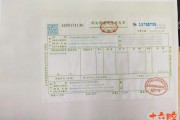
Fault description: M227 After scanning, the bottom ash is printed again, and the copy is normal. users use a special way, need to scan the invoice for pdf file, and then issued to print, print there is a clear bottom gray, as shown in figure to resolve the process: 1. open the scanning software...
Ricoh IM C6000 new copier SMB scan to folder settings can be used with the new 7503 series, 2555 series and other touch screen series, Ricoh repair video, Ricoh copier repair ..
Symptoms: SP 330SFN copy, scan black, gray scale normal, scan color, full page into pink purple background. Analysis of causes: 1. Computer software and network data transmission problems. 2. The scanner CIS data cable is poorly connected....
Symptom 1. After installing a new IMC2000 machine, a green background appears on the scanned copy, but the printing is normal and the copying fault is the same; Fault sample diagram: Possible causes: CMOS unit fault/setting issue/PCB issue (BICU/reference) ..
Symptoms cannot be previewed when using the scanning function. Repair process 1. Whether scanning to a folder or scanning to an email, preview cannot be selected during scanning, and the preview area is grayed out; If the file type in the sending settings is set to TIFF or J
Ricoh Copier SMB Scanning Folder Sharing Settings-General Step 1: Create a Scanning Folder, Rename the New Folder on the D or F Disk and Desktop of the Computer to 223. the second step, set the folder sharing properties, right click on the 223 text...
For safety reasons, symptomatic customers only need to disable one of the USB/SD printing or scanning functions on the control panel, or disable the USB/SD printing and scanning functions, but require the use of a USB card reader. Repair process ..