68 Maintenance Network
  • Home
  • Ricoh
  • Manual
  • Video
  • Plan
  • Firmware
  • Zeroing software
  • Donation
Home Articles containing the 'Scan Page 10' tag
Analysis and Setting of SMB Scanning Fault in Kemei Copier

Analysis and Setting of SMB Scanning Fault in Kemei Copier

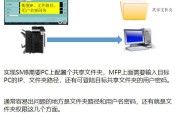
Generally used to use SMB scanning, the following is a brief introduction to the use and fault analysis., Repair case, Ricoh copier repair...

Plan Visitor 354 2019-04-08

After the Canon 6275 host is turned on or after the sleep mode returns to the standby state, the machine waits for a long time when printing

After the Canon 6275 host is turned on or after the sleep mode returns to the standby state, the machine waits for a long time when printing

iR-ADV 6275iR-ADV 6265iR-ADV 6255 after the host is turned on or after the sleep mode returns to the standby state, the machine waits for a long time on the first page when printing [fault phenomenon] after the host is turned on or...

Plan Visitor 343 2019-04-06

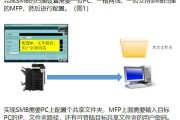
When using MFP machines for scanning, Ke Mei copiers will use SMB protocol for scanning. Common faults of SMB scanning

When using MFP machines for scanning, Ke Mei copiers will use SMB protocol for scanning. Common faults of SMB scanning

maintenance case, Ricoh copier repair...

Plan Visitor 357 2019-03-20

The external memory of Ke Mei copier is not in use (U disk scanning and printing cannot be used)

The external memory of Ke Mei copier is not in use (U disk scanning and printing cannot be used)

Common (except VA models) fault symptoms: 1. After inserting a USB flash drive, the external memory box does not pop up and the USB icon does not display. 2. It can print from the USB flash drive, but cannot scan to the USB flash drive. 3. Even if the external memory printing and scanning functions are turned on ..

Plan Visitor 390 2018-12-19

Home Previous page 1 2 3 4 5 6 7 8 9 10

Hot review article

  • Ricoh DD3344C Kissinger CP6303C newspaper code E-02

    Ricoh DD3344C Kissinger CP6303C newspaper code E-0

    2026-04-142
  • Ricoh IM7000 prompt "SC530-19" fault code

    Ricoh IM7000 prompt "SC530-19" fault code

    2025-04-181
  • Ricoh copier basic principle, imaging principle and copier basis, color basic principle

    Ricoh copier basic principle, imaging principle and copier basis, color basic original

    2026-04-151
  • Ricoh copier latest firmware upgrade method collection

    Ricoh copier latest firmware upgrade method collection

    2026-04-151
  • SLNXv3_Exporting a profile configuration with a large number of workflows and groups does not start the download and cannot be displayed

    SLNXv3_Export a profile configuration that contains a large number of workflows and groups does not

    2026-04-140
  • About this station

    About this station

    2026-05-070

Latest comments

  • Come back soon.
    There are very few parts that still need to be downloaded from www.16qiang.cn.
    Come back soon. 2026-08-12
  • Come back soon.
    This network does not need to register, you can directly view
    Come back soon. 2026-08-12
  • 1
    What is the withdrawal code?
    1 2026-07-29
  • Ticheng 123
    How to register?
    Ticheng 123 2026-07-23
  • Ticheng 123
    Can't the original 16-cavity account be used?
    Ticheng 123 2026-07-23
  • Senior Diver
    There is no withdrawal code.
    Senior Diver 2026-07-22

Tag list

  • Sensor (82)
  • Ricoh (169)
  • 8100 (85)
  • 8200 (66)
  • Power board (74)
  • Scan (94)
  • 2555 (107)
  • 2014 (71)
  • 8300 (78)
  • Maintenance Manual (108)
  • Kyocera (62)
  • Ke Mei (136)
  • HP (136)
  • Canon (150)
  • Epson (151)
  • Xerox (138)
  • Paper jam (173)
  • Fixing (64)
  • Motherboard (77)
  • C2000 (136)
  • Video (132)
  • Firmware (167)
  • Canon Firmware (71)
  • Ricoh Video (64)
  • Zeroing software (183)
Copyright © 2026 68maintenance network | Dian ICP No. 2023002119-1
About this station | Site Map | Message board | Advertising offer | Links are customizable
简体中文繁體中文English한국어Tiếng Việt