
|
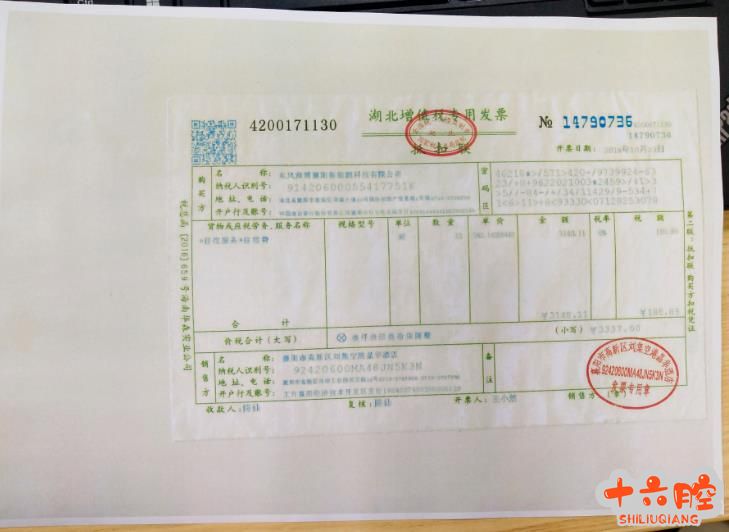
Fault Description: After scanning M227, there is a gray background when printing, and copying is normal. The user's usage method is quite unique, and they need to scan the invoice into a PDF file before sending it for printing. There is a noticeable gray background when printing, as shown in the picture
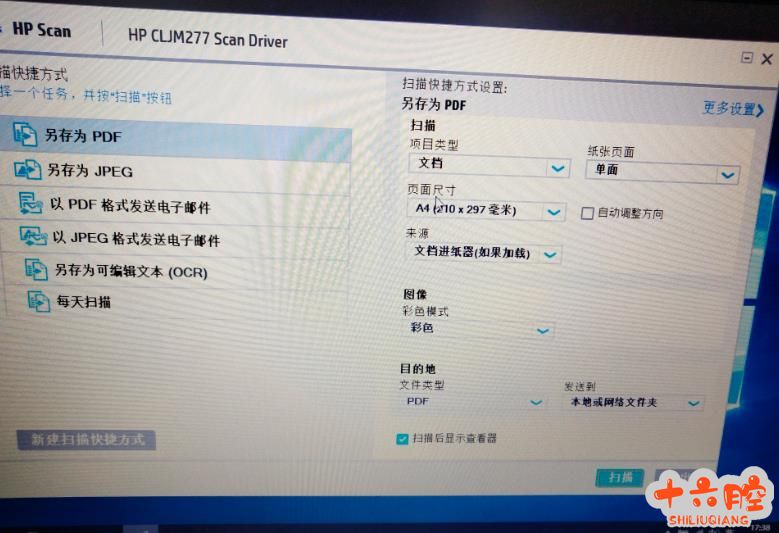
Resolution process: 1. Open the scanning software to enter more settings
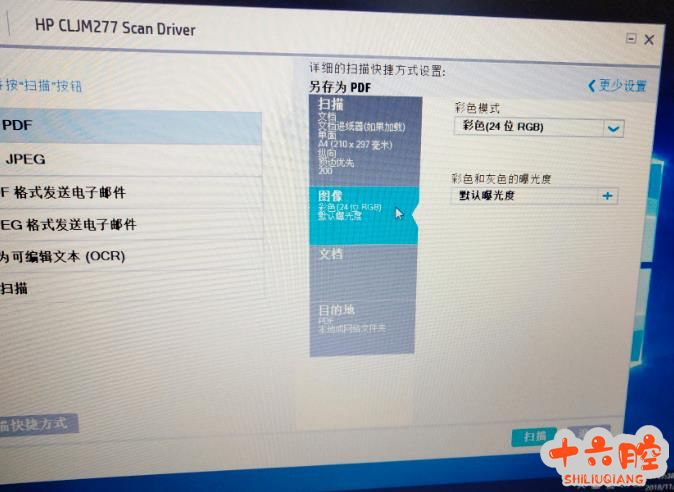
2. Modify color and exposure in the image
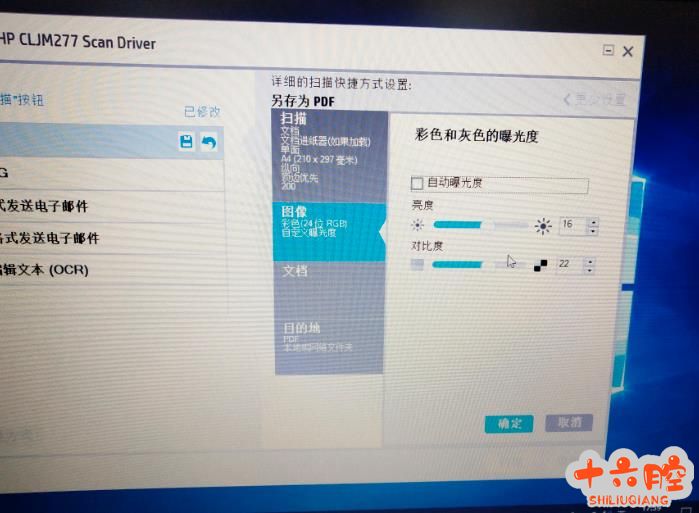
3. Check the √ on the automatic exposure. If the effect still doesn't work, you can manually adjust the brightness and contrast
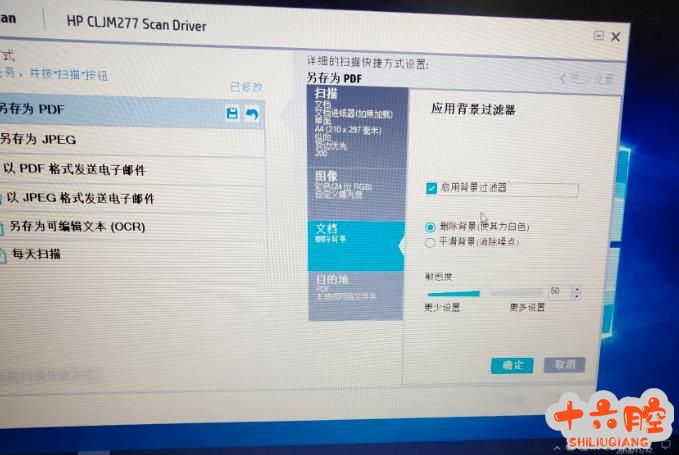
Modify the application background filter in the document, mark a √ when using the background filter, and select delete the background (make it white). Then, during testing, that's it. Share summary: When encountering this situation, do not suspect that it is a machine malfunction. In fact, it is the default settings used after the installation of the machine's driver, so it is necessary to modify the settings. |
Address of this article:https://073868.com/post/2766.html
Copyright Notice:
For relevant infringements, reports, complaints and suggestions, please send E-mail:weixiuwang68@qq.com
Tags: #M227 #bottom ash #Scan #PDF file #Photocopy







