
|
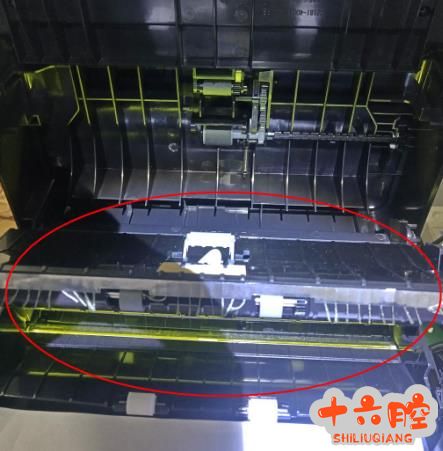
Fault Description: M128/1219 series machines with ADF components, using ADF cardboard as shown in the picture: Resolution process: First, open the feed tray of the ADF and check if there are any foreign objects in the paper path, as shown in the picture:
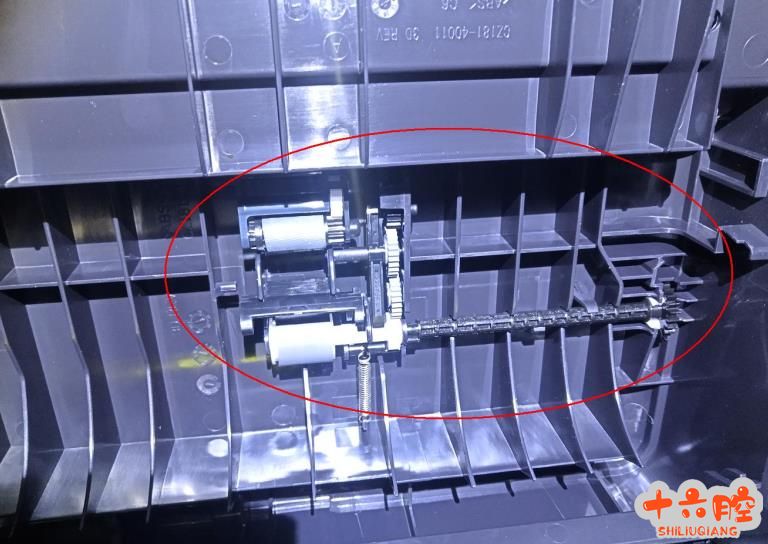
Check if the connecting rod gear of the paper roller is normal again, as shown in the picture:
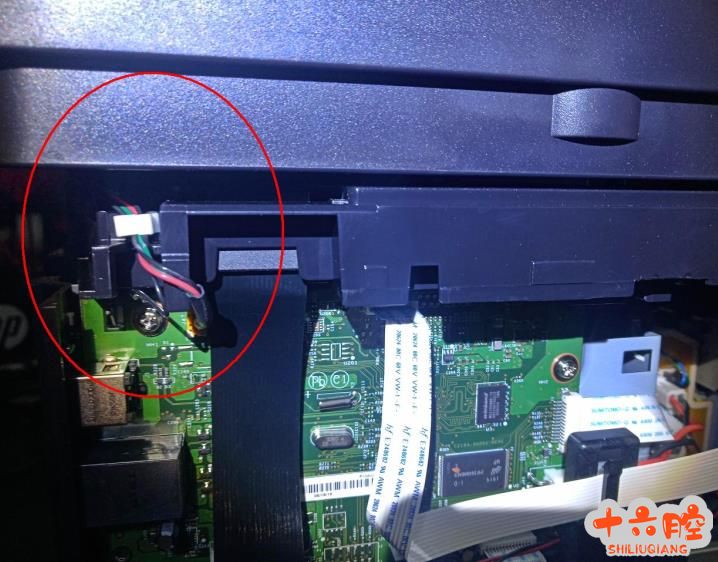
Then check the connection wires between the ADF motherboard and ADF, as shown in the figure:
Share summary: When installing the ADF connection cable of this printer, the cable hung on the shell, causing the upper cover to press against the cable and causing the ADF paper to jam halfway through. After unplugging and adjusting the position of the cable and reinstalling it, the problem can be solved. If a new machine encounters ADF faults, it is recommended to first check if the cable is not properly plugged in or if it is pinched. |
Address of this article:https://073868.com/post/2765.html
Copyright Notice:
For relevant infringements, reports, complaints and suggestions, please send E-mail:weixiuwang68@qq.com
Tags: #M128 #M1219 #Document Feeder #ADF #Paper jam







