
|
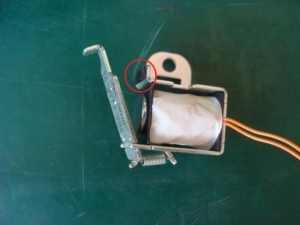
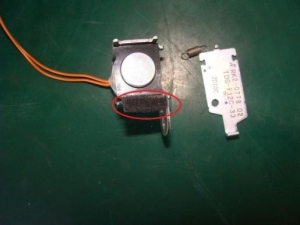
Suitable products: M1005, M1020 Fault description: The printer keeps feeding paper The customer sent an M1005 printer for repair and found that it keeps feeding when turned on. Generally, this situation is mostly related to the relay (clutch). As shown in Figure 1: The red circle marks the location of the power breaker sponge. Remove it and check if the sponge is damaged. If it is damaged, we will make our own sponge and try installing it on the printer to see if it still keeps feeding. If not, congratulations, this issue has been resolved and there is no need to order any spare parts. The sponge in Figure 2 is the one I have already remade.
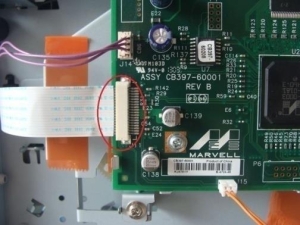
However, the problem encountered this time cannot be solved by the above solution alone. If the above steps during maintenance do not reveal any damage to the circuit breaker sponge, then we should assume that it is caused by other issues. The operation steps are also very simple. When you disassemble the right shell of M1005, you will see a white flat wire connected to the motherboard (the connecting wire between the ECU circuit board and the motherboard) as shown in Figure 3 So let's unplug this cable (the connection cable between the ECU circuit board and the motherboard) and try turning it on again. If it starts up normally and the printer does not automatically feed, it indicates that the fault is caused by the ECU circuit board. We will issue an order for the ECU circuit board in the SRFR system to be repaired by the customer. Spare part number: RM1-3943-000CN. The problem I encountered this time was successfully resolved by replacing the ECU circuit board.
|
Address of this article:https://073868.com/post/5021.html
Copyright Notice:
For relevant infringements, reports, complaints and suggestions, please send E-mail:weixiuwang68@qq.com







