
|
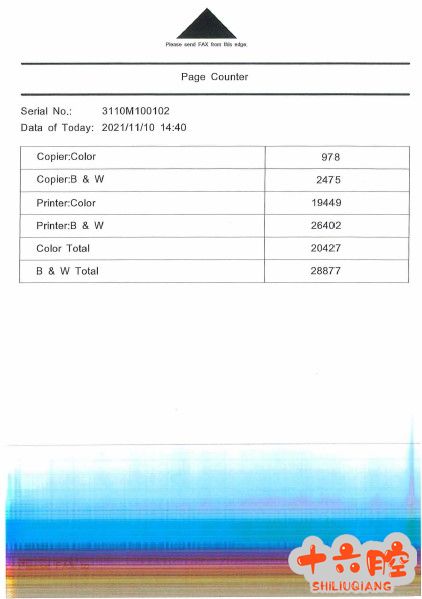
IMC3000 prints normally, and color bars appear in the main scanning direction at the bottom of the printed material during copying and scanning; Fault photos:
Possible causes: CMOS malfunction/SBU malfunction/SBU cable malfunction/BICU malfunction Maintenance process 1. Upon on-site inspection of the malfunction, the counter page was printed and the image was normal. Printing documents on the customer's computer is also normal; 2. Conduct copy testing, reproduce print faults, and scan to test for the same fault symptoms; 3. The basic judgment is that the fault should be caused by the scanning part. After cleaning the SBU unit, the fault changed and the color bar symptoms improved 4. After replacing the SBU unit, troubleshoot and repair the machine; Solution Due to the lack of a separate CMOS for replacement, such faults can be resolved by replacing the SBU unit; |
Address of this article:https://073868.com/post/1153.html
Copyright Notice:
For relevant infringements, reports, complaints and suggestions, please send E-mail:weixiuwang68@qq.com







