
|
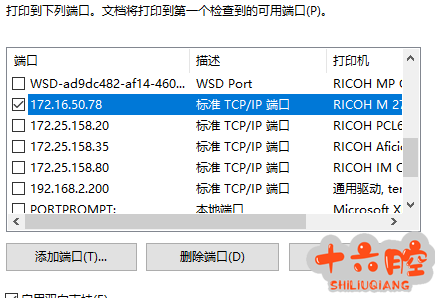
Symptoms MPC407SP SC899 code appears, switch on/off cannot clear the code. Maintenance process 1.MPC407SP SC899 fault code appears, the code cannot be cleared after switching on or off; 2. After checking, if the network cable of the machine is disconnected, no fault code will appear after the machine is switched on and off, and the SC899 fault code will appear when the network cable is plugged in. Therefore, it is suspected that the problem is caused by the customer's computer system or print driver; 3. Check the printer driver of the customer's computer and find that the printer driver of some computers uses the WSD port; 4. Try to delete all WSD print ports and replace them with standard TCP/IP ports. Test again and the fault will no longer occur.
|
Address of this article:https://073868.com/post/257.html
Copyright Notice:
For relevant infringements, reports, complaints and suggestions, please send E-mail:weixiuwang68@qq.com
Tags: #C407 #SC899 #Print Driver #WSD Port #IP Port






