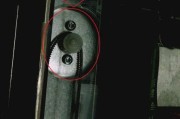
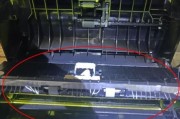
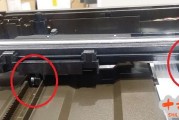
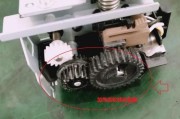
Fault description: A Smart Tank 518 is sent for repair. The startup panel of the new machine prompts E3. There is idling sound of the penholder motor on the left side of the startup. Solution process: generally, error reporting E3 is caused by the failure of the pen holder to move normally (pen holder card...
Chapter I: General Provisions Chapter II: General Fault Inspection and Elimination Methods Section I Single Function Printer Troubleshooting Process Section II Integrated Machine Troubleshooting Process Section III Using Built-in Power Printer Without Power Fourth..., Maintenance Cases, Ricoh...
fault description: samsung c410w, print no color. Solution process: According to our daily maintenance experience of HP machines, no color is found. After eliminating the problem of consumables, the laser should be checked first. but this section of samsung c410w is drum powder...
Fault description: M128/ 1219 series machines with ADF components use ADF paper jam as shown in the figure: solution process: first open the paper feed tray of ADF, check whether there is any foreign matter in the paper path, as shown in the figure: then check whether the paper roller link rod gear is...
Fault description: M227 After scanning, the bottom ash is printed again, and the copy is normal. users use a special way, need to scan the invoice for pdf file, and then issued to print, print there is a clear bottom gray, as shown in figure to resolve the process: 1. open the scanning software...
Fault description: M254dw, the fault is that it cannot be fixed during printing, intermittent 50.70 and 50.20 thermocoagulant fault are reported. Solution process: The test found that the fixing could not be normal. The failure remained after the replacement of the thermocoagulant. The test found that the thermocoagulant was...
Fault phenomenon: Upon powering on, the machine displays a scanner error message: unable to scan, copy, or send faxes. Maintenance recommendations: 1. First reinstall the scanning head to ensure that the scanning head is positioned accurately 1) The sliding wheel and drive gear of the scanning component are in the sliding track (such...
Fault description: M701N computer printing and offline printing panel prompt is printing documents, the machine has no reaction. Solution process: the machine cannot print normally even if it is offline, eliminating the problem on the computer side. the same is true if initialization is done first. check...
fault description: hp m701n boot without power, replace the power board test fault is still. Solution process: HP M701n starts up without power, arrives at the customer site and asks the user. The customer describes that there is a sudden power failure, and the printer will not be added when calling...
Fault description: M128FP intermittently starts up and restarts repeatedly, and cannot be ready. An engineer needs to come to inspect and repair it. Solution process: When the engineer came to the site, the fault was not reproduced. The customer described that it would occur within two to three days, and the machine would restart repeatedly when turned on, sometimes causing disconnection ..