
|
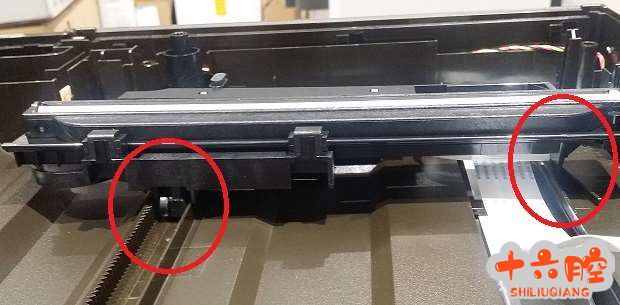
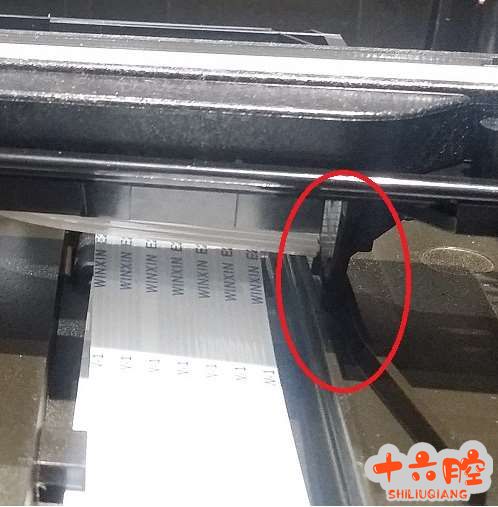
Fault phenomenon: When the machine is turned on, it prompts scanner failure: unable to scan, copy, or send faxes. Maintenance recommendations: 1. First reinstall the scanning head to ensure accurate positioning of the scanning head 1) The sliding wheel and drive gear of the scanning component are in the sliding track (as shown in the figure below) 2) The positioning bracket of CIS scanning head is inside the guide rail (as shown in the figure below) [kkpay=5]
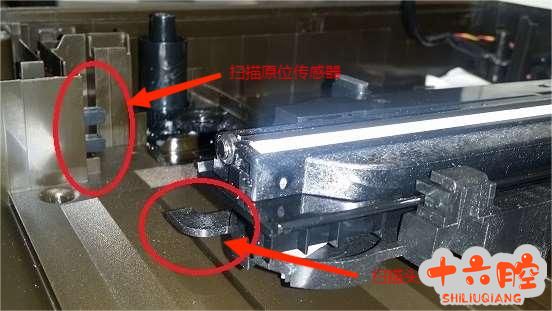
3) Ensure that the trigger plate on the scanning head can be blocked between the home position sensors (as shown in the figure below)
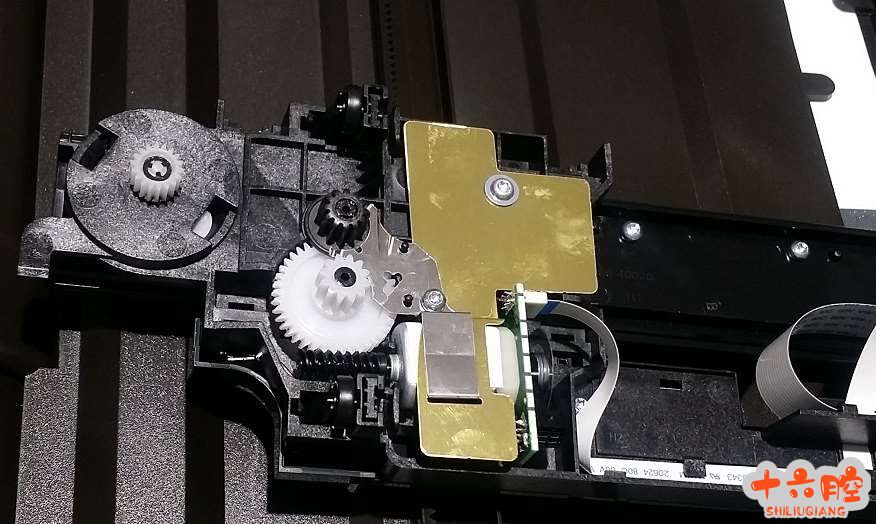
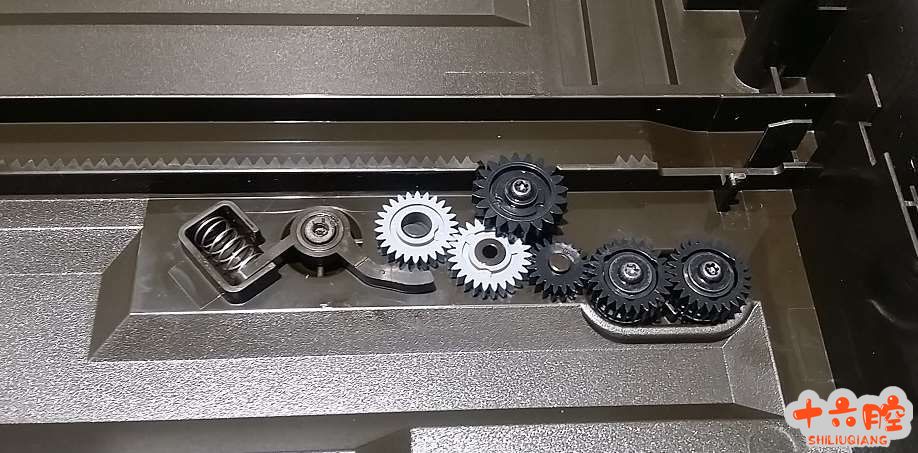
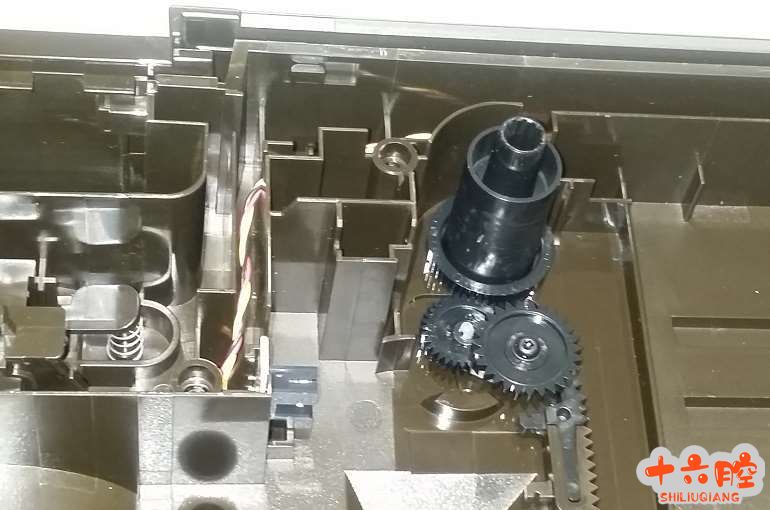
Scanning the trigger plate on the head of the home sensor. Maintenance recommendations: 2. At the same time, the scanning head drive gear, the right steering gear and the left ADF drive gear can be lubricated
Scan head motor and drive gear
A3 steering gear on the right
ADF drive gear on the left [/kkpay] 3. Check whether the scanning head can still light up normally when starting up. If it does not light up, replace the scanning head. 4. Check all cables from scanner and ADF to motherboard and FFC cable: reseat the cable and check whether there is any broken cable 5. Check whether the scanning head, sensor and other connecting lines and FFC cable on the scanner are plugged in normally. 6. Replace the scanning platform |
Address of this article:https://073868.com/post/2768.html
Copyright Notice:
For relevant infringements, reports, complaints and suggestions, please send E-mail:weixiuwang68@qq.com
Tags: #7612 #Scanner failure #Unable to scan #Photocopy #Fax






