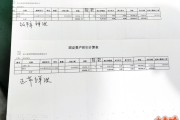
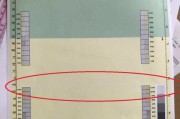
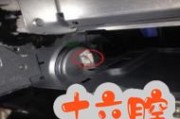
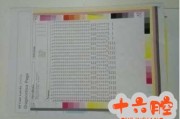
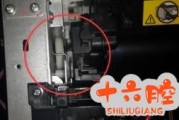
Fault description: the M226 printer sent for repair has faults of printing document deviation and copy stretching. the fault sample is as follows. the solution process: after testing, it is confirmed that the paper setting and drive are free of faults; First, upgrade the firmware and replace the toner cartridge are invalid. Consider gear set, horse...
Fault description: printing yellow with white track parallel to short side (long side paper feeding) solution process: printing PQ page found yellow with a white track parallel to short side of paper (long side paper feeding), judgment may be related to drum assembly, development or laser,...
Fault Description: X7600 UI System Fault# S5-3111 Resolution Process: 1. Customers Reflect that the machine crashes after intermittent X7600 UI System Fault# S5-3111 and cannot work, most of the time...
Fault description: Customer reported M126A startup error E8, the machine cannot be ready. Solution process: Power on, printer error E8, connect to computer to print test page, normal. Based on the error code, determine the malfunction of the scanning head and proceed with further disassembly ..
Fault description: M1005 startup cleaning... automatically prints engine page like page. Solution process: 1 At first glance, the fault seemed to be a software malfunction, but even when the standalone machine was turned on, this fault occurred and was resolved by software. 2. Single machine recovery ..
Fault description: printing prompts that the right blocking cover is jammed, the paper is stuck at the photosensitive drum, and folded into a sector. the above picture shows the jam position photo * * * * this content is hidden by the author * * * * the above picture shows the fracture photo of the secondary transfer roller buckle. the solution process: print the file card...
Fault description: The M176n sent for repair shows that it is initializing when turned on, and the online prompt shows that it is initializing. There is powder added to the powder bin. Solution process: First, turn on and off the machine, listen to the sound to determine if the powder bin is not rotating, and the heating component can return to its original position normally. Manually remove the powder bin and toner cartridge ..
Fault description: the printed file is short of blue, other colors are normal, and the engine page is normal. the above figure shows the troubleshooting process of the diagnostic page fault sample: the printed engine page is normal, the semi-self-checking toner cartridge is not imaged, the fault that should occur before the toner cartridge is imaged, and the cleaning shock.....
Fault description: The customer sent M176 for repair, which makes abnormal noise when starting up and is not ready. Solution process: Based on the recent malfunction of the same machine, consider the problem of abnormal noise during startup, which is basically due to the improper engagement between the belt and the idler wheel. As shown in Figure 1. ...
Epson inkjet stylus printer network training content materials, TX720/820 disassembly, adjustment, difficult maintenance training materials L801 print head nozzle inspection is intact, but the "printing effect" is not ideal: LQ-730K &...