
|
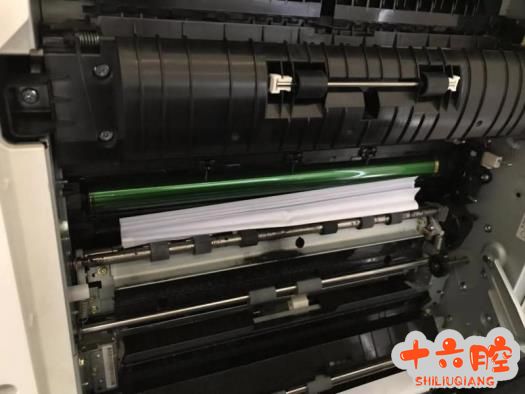
Fault Description: Printing prompt: The right side cover is jammed, and the paper is stuck at the photosensitive drum, folded into a fan shape
The above picture shows a photo of the cardboard position
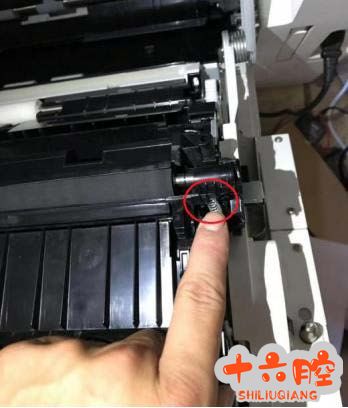
The above picture shows a photo of the broken buckle of the secondary transfer roller Resolution process: Printing documents may result in paper jams, sometimes several sheets can come out. The paper is stuck in the position of the toner cartridge. A mark was made on the photosensitive drum, and it was found that the photosensitive drum can rotate normally. After checking the rotation of the secondary transfer roller, there was no abnormality or resistance. Pressing the secondary transfer roller revealed some shaking on the right side. Upon careful inspection, it was found that the buckle was broken, causing the spring to be unable to support the secondary transfer roller properly. We request a replacement to solve the problem. Share summary: When a paper jam occurs, it is necessary to check the condition and position of the jam to determine the cause, whether there are foreign objects or damaged parts. |
Address of this article:https://073868.com/post/2777.html
Copyright Notice:
For relevant infringements, reports, complaints and suggestions, please send E-mail:weixiuwang68@qq.com
Tags: #E72535 #Print #Right gear cover #Paper jam #Secondary transfer roller







