
|
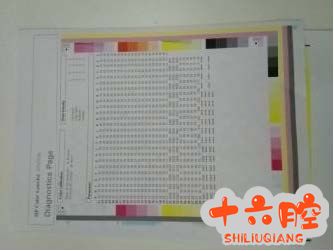
Fault Description: The print file lacks blue, other colors are normal, and the engine page is normal.
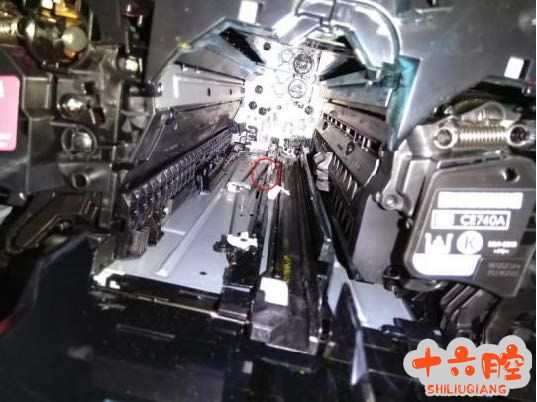
The above picture shows the fault sample of the diagnosis page. Resolution process: The printing engine page is normal, the printing semi-self-checking toner cartridge is not imaged, the failure that should occur before the toner cartridge is imaged, the cleaning laser failure is still the same, check that the charging wire of the toner cartridge is not abnormal, the laser door buckle is not broken (the buckle fracture will also cause color deficiency), shield the charging contact of the toner cartridge, and the surface of the toner cartridge is charged normally. When carefully checking the opening and closing door of the laser, it cannot be opened normally, the printing is normal.
The above figure shows the position of the foreign body card Share summary: For the failure of printing lack of color, first print the engine page to see if it is normal, and also print semi-self-check, mainly to see which step of imaging has the failure, and then check the spare parts involved in imaging in this step. |
Address of this article:https://073868.com/post/2778.html
Copyright Notice:
For relevant infringements, reports, complaints and suggestions, please send E-mail:weixiuwang68@qq.com
Tags: #CP5225 #Print #Lack of blue #Toner cartridge #Charging







