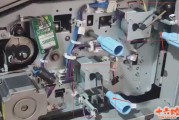
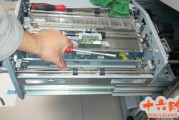
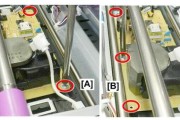
After powering on, the Ricoh Pro 8100 immediately displays error code SC513-01, followed by SC515-02. The machine was working fine yesterday, but today, upon startup, these two codes appeared. After cleaning, the two codes alternate in reporting. SC5...
1. Occasionally, photocopiers may have corners when printing documents, which are all external corners. Check the paper path to see if any foreign objects have fallen on it, causing the paper to run smoothly. No foreign objects were found during the inspection. ****This content is hidden by the author * * * ..,. ..
The Ricoh 8120 machine produces the code SC460-01 when printing dozens of sheets, but it can print again after shutting down and turning on. Possible reasons for the code appearing again after printing dozens of sheets include SP parameter issues and PTR power supply ..
Notice on Color Paper Setup: This notice provides guidelines for color paper setup to prevent misalignment-related paper jams 49 (excessive skew) and paper jams 50 (excessive movement). The leading-edge mobile unit equipped with a CIS (Contact Image Sensor) detects the leading edge of the paper. How...
Ricoh Pro 8100s, 8110s, 8120s output to the calibration paper tray shows paper jam 151 or 152 * * * * * This content is hidden by the author * * *, Ricoh/Kiester, Ricoh copier repair ..
Symptom: Paper jam 49 (skewed)/Paper jam 50/Paper jam 80. The reason is that the alignment unit paper is skewed, causing Paper jam 49, 50, and Paper jam 80. Solution for production line: Meet on-site requirements, change system default settings to prevent paper jams 49 and 8
Symptom 1: Alignment movement occurs in the main scanning direction. 2. The paper is skewed around the alignment roller. ****This content is hidden by the author due to the large gap between the rod hole and the shaft, resulting in insufficient gap between the alignment timing roller and the pressure roller. ...