
|
Ricoh Pro8100 POST code SC513-01 appears after the SC515-02 The machine was in good use yesterday. The two codes appeared after the machine was turned on today. After cleaning, the two codes will be reported in turn. SC513-01 possible causes
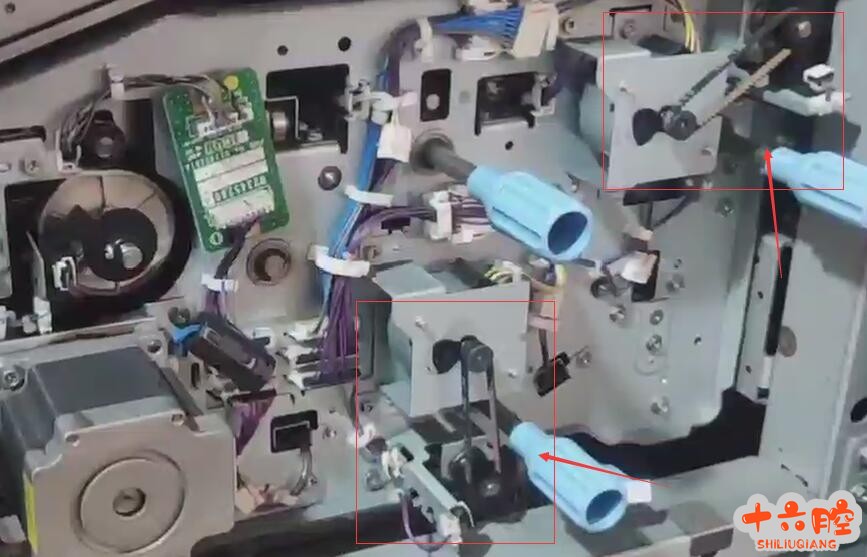
When the machine is checking itself, check the red box. The two motors are rotating, so there is no problem, and the sensors in the two places are clean, and there will still be a problem. SC515-02 possible causes
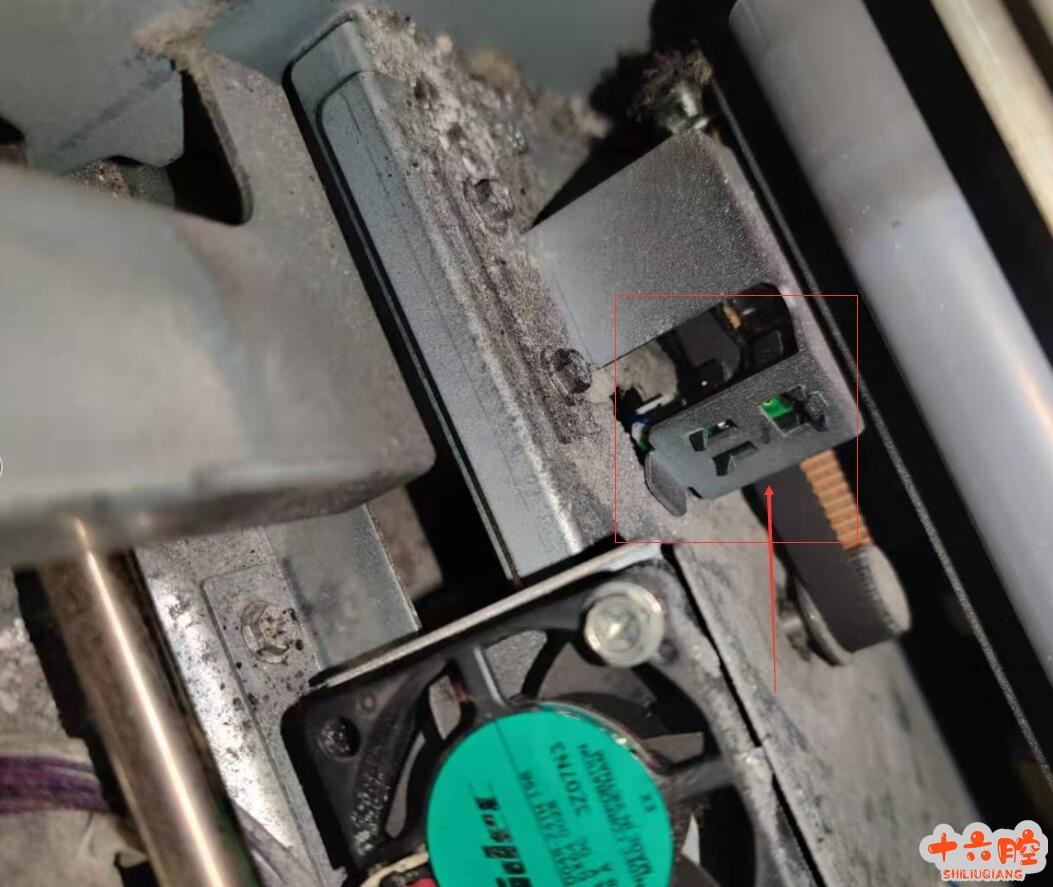
After cleaning the sensor below the alignment position, the problem is solved. This problem is mainly due to inadequate cleaning and maintenance. SC513-01: The alignment assembly is removed to clean the lower sensor. SC515-02: Separate motor home error 2:LCT The above two codes focus on checking the alignment unit |
Address of this article:https://073868.com/post/5490.html
Copyright Notice:
For relevant infringements, reports, complaints and suggestions, please send E-mail:weixiuwang68@qq.com






