
|
The Ricoh 8120 machine displays the code SC460-01 after printing dozens of images during use. It can print again after shutting down and turning on, but the code appears again after printing dozens of images Possible reasons
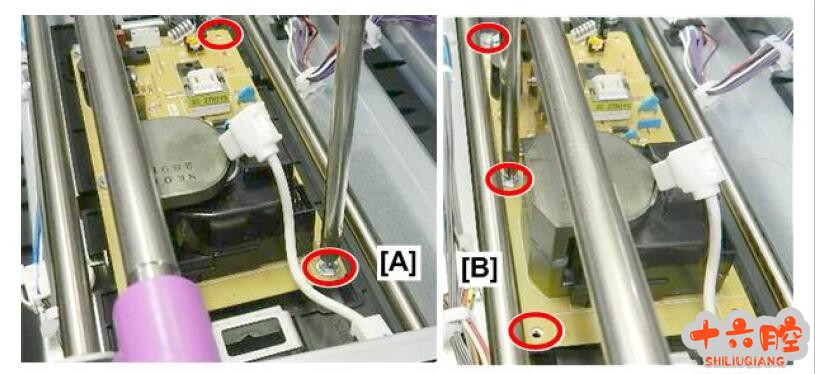
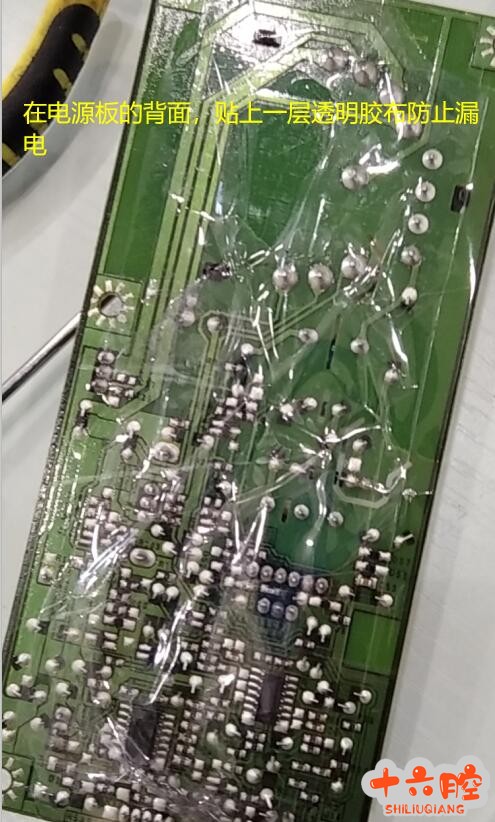
If the SP parameters of the previous machine have not been adjusted, please refer to the following adjustments SP 2-380-005 5.80 7.00 SP 2-381-005 5.80 7.00 SP 2-382-005 5.80 7.00 SP 2-383-005 5.80 7.00 SP 2-384-005 5.80 7.00 SP 2-385-005 5.80 7.00 The problem with replacing the paper transfer roller (PTR) still persists Check the wiring harness and no damage or disconnection was found Solution: Check the power components, remove the power components, and apply a layer of transparent tape behind the power board to prevent leakage. The problem was solved, and 1000 copies were copied again without the code appearing. If the power board is damaged, it needs to be replaced
|
Address of this article:https://073868.com/post/6082.html
Copyright Notice:
For relevant infringements, reports, complaints and suggestions, please send E-mail:weixiuwang68@qq.com






