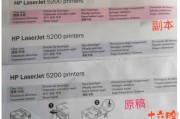
Symptoms: Black and white originals will appear in red as long as they are copied or scanned by automatic color selection. The following figure shows the maintenance process: 1. Replace different original modes and the failure is still 2. After ACC, the failure is still 3. Adjust the ADS back in the user tool...
Symptom IMC 4500 installation @ REMOTE failed. Maintenance process 1. Use the equipment web page to install @ REMOTE, the installation failed; 2. Use the maintenance mode to install, enter the serial number and execute the SP5816-2...
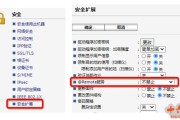
Symptom: The machine fax forwarding email must be in PDF format. Reason: Set the relevant parameters of the machine. Maintenance process: operate in the sequence shown in the following figure (red circle in the figure): * * * * This content is hidden by the author * * * * .....
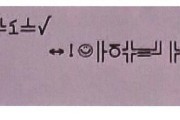
Symptoms: A IMC4500 machine will print many copies after standby, and irregular printing garbled codes often appear on the copies (see the figure below). The machine will display SC899 diagnosis process irregularly: 1) The machine will print garbled codes irregularly and replace them...
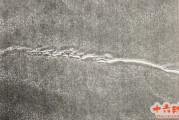
Symptom malfunction: The IM C3000 paper print has wrinkles. Repair process 1. There is a crease in the middle of the printed paper from the MFP in the sub scanning direction. When using A4 long side feed, the crease is shorter. When using A4 short side feed or A3
The IMC4500 startup SOP screen shows normal startup, loading, and then shutdown, unable to enter the ready state. IM_C2000_C2500_C3000_C3500_C4500uC6000/
Ricoh IMC2000 series disable machine printing and scanning functions, IM_C2000_C2500_C3000_C3500_C4500_C6000/M_C2001 due to security and other factors, requirements...
Ricoh IM C3000 series machines run with sharp abnormal noise IM_C2000_C2500_C3000_C3500_C4500_C6000/M_C2001 * * * * This content is hidden by the author...