
|
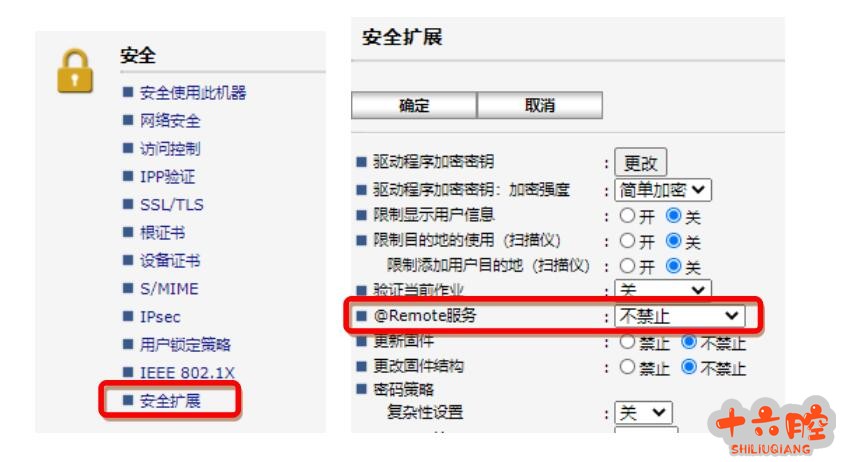
SymptomsIMC 4500Install@REMOTEFailed. Maintenance process1. Install using device webpage@REMOTE, Installation failed; 2. Install using maintenance mode, enter the serial number and executeSP5816-204Afterwards, checkSP5816-207Display9, checkSP5816-208, Display12005; 3. After confirmation, the machine's@The REMOTE service was disabled and successfully installed after being enabled. Specific steps:EnterMFPAfter logging in as an administrator on the webpageOn the "Configuration" page, find "Security Extensions" and go to“@REMOTEService”Set to 'Not Prohibited'.
|
Address of this article:https://073868.com/post/2885.html
Copyright Notice:
For relevant infringements, reports, complaints and suggestions, please send E-mail:weixiuwang68@qq.com






