
|
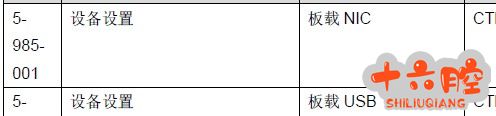
Ricoh IMC2000 series disables machine printing and scanning functions, IM_C2000_C2500_C3000_C3500_C4500_C6000/M_C2001 Due to security and other factors, it is required to disable the printing and scanning functions of the machine, including printing/scanning (storage devices); Ricoh black and white copiers and color copiers can use this parameter, disabledPrinting and scanning functions For example: MP7001, 800190017502600575031107 and other machines Maintenance process 1. The code for SP5985-001/002 can be modified to 0, and the network and USB ports on the machine controller board can be closed. However, this method still allows customers to use the storage device printing and scanning functions on the SOP screen, and the machine cannot set its IP address or use the Web Image Monitor function for remote machine settings at this time;
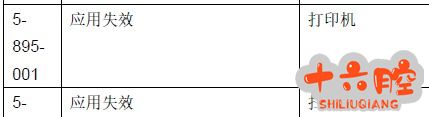
2. SP5895-001 and 002 can be modified to 1 and the machine can be restarted;
3. At this point, all functions related to printing and scanning on the machine are no longer available, including printing/scanning (storage device) functions. However, we can still set the IP address of the machine and remotely connect to the copier through WIM to set up address book and other functions; Solution Disable the printing and scanning functions of the machine by changing SP5895-001 and 002 to 1. Note: This code is also valid for black and white machines and old models of color machines. |
Address of this article:https://073868.com/post/5666.html
Copyright Notice:
For relevant infringements, reports, complaints and suggestions, please send E-mail:weixiuwang68@qq.com







