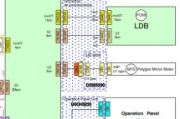
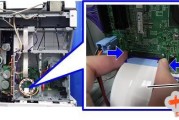
Symptoms: During normal use of the machine, it cannot be started again after a black screen. 1: Check that the blue light of the power indicator in the upper right corner of the machine panel is not on, and it is suspected that the power board is damaged. 2: measuring each fuse on the power board is normal, 220v socket on the machine is normal...
Symptom: IM2500 scans a manuscript of several dozen pages, with only the first ten pages missing and the rest missing. The machine completes the scan normally without any errors, and both sides are the same. Check that there is no record of SC history. Reason 1. Poor IPU board 2. I
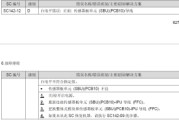
Symptoms: boot prompt SC142-12, switch machine cannot be eliminated. reason: maintenance manual maintenance measures are explained as follows: 1. according to the manual code interpretation, d level code, shutdown and then boot invalid, 2. clean optical, clean whiteboard, clean pass...
Background: SPDF DF3130 may experience SC151-00 error code after replacing ADF controller board. Models affected by this code include IM 2500/3000/3500/4000/500
Symptom: Frequent paper jam at the paper outlet of the machine's fixing machine, as shown in the following figure: Reason: Poor fixing paper sensor; Repair process for poor peeling guide plate at the fixed paper outlet: 1. Check the machine's paper jam position record, and the main paper jam record is fixed .....
Symptoms An IM3500 machine shows the phenomenon that adding toner cannot be removed. The failure of the toner bottle repeatedly installed by the user is still caused. If the front cover is opened for more than 5 seconds and then closed when the toner is used up or close to the toner,...
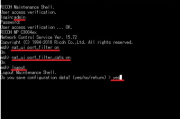
Symptoms When the customer scanned the network for security, he found that Ricoh MFP machine had opened the 2049 port, but the relevant settings were not found in the Web page of the machine. maintenance process in intelligent panel with mfp controller communication when using a number of end...
Xerox copier large carton 2000-HCF supplement English repair manual 3.9 version Xerox copier large carton 3000hcf English repair manual 1.3 version Xerox copier large carton 2000-HCF supplement English repair manual 1...
Symptoms After the machine is turned on, there is no display on the screen, but there is running action: diagnostic process 1) because the screen is not bright, replace the SOP screen, the fault is still 2) replace the machine power board test, the fault is still. 3) Replace the controller board, the fault remains. 4)...