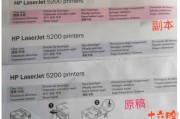
Symptom: A IMC2000 machine can print and copy normally, but when scanning folders (SMB) and USB files, there are black lines at the top and bottom (as shown in the figure below). Analyze possible causes of the malfunction: 1 Scan settings inquiry ..
Symptom: The customer's laptop is equipped with a printer driver for this model and can print through a wireless connection to the SOP screen. The laptop can ping the IP address of the SOP screen, but after clicking print, there is no action on the machine side (no data signal light flashing or error message raised)
Ricoh IMC3500 inspection of paper tray lifting motor - video * * * * This content is hidden by the author * * *, Ricoh repair video, Ricoh copier repair ..
Symptom A rattling fault during machine startup and a code SC324-05 on screen ready. Abright fault: 1) machine recycling waste powder bin. On-site maintenance measures during the maintenance process: 1) Disassemble and assemble the machine to check the relevant connecting wire harness and wire connection...
Phenomenon: The Yuexiangyin basic version MFP push tool failed to update machine information for IMC2000 series models. * * * This content has been hidden by the author. * * * Ricoh/Kisteya, Ricoh copier repair ..
Symptoms: Black and white originals will appear in red as long as they are copied or scanned by automatic color selection. The following figure shows the maintenance process: 1. Replace different original modes and the failure is still 2. After ACC, the failure is still 3. Adjust the ADS back in the user tool...
Symptom A code SC324-01 failure occurs when the machine is turned on to print a copy. On-site maintenance measures during the maintenance process: 1) Disassemble and assemble the machine to check the relevant connecting wire harness, wire joints and reinstall the IOB board. Weight PCDU. start machine detection fault no...
Ricoh IMC3500 series cleaning powder road video * * * * this content was hidden by the author * * * *, Ricoh maintenance video, Ricoh copier maintenance...
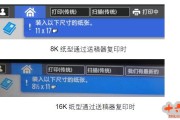
MP_2555_3055_3555_4055_5055_6055SP 8K/16K paper is required for application, but when copying from the manuscript desk, the machine will detect A3 and A4 paper and use the manuscript to send it...