
|
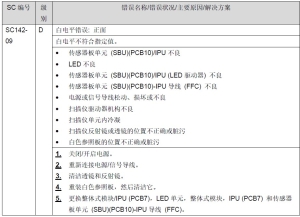
Symptom: Upon startup, the message SC142-12 appears, and it cannot be cleared even when turning the device on or off. Cause: maintenance manual as explained below
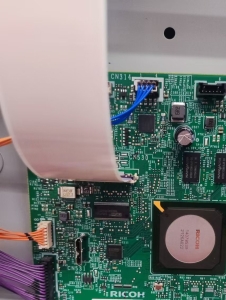
Maintenance measures: 1. According to the manual code explanation, the D-level code, shutdown and restart is invalid, 2. Cleaning the optics, cleaning the whiteboard, and cleaning the sensor are all invalid. 3. Unplugging the SBU and IPU related harness cables is invalid. 4. Replace the IPU board for testing and troubleshooting.
|

Address of this article:https://073868.com/post/5461.html
Copyright Notice:
For relevant infringements, reports, complaints and suggestions, please send E-mail:weixiuwang68@qq.com






