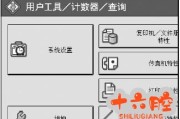
Ricoh IM C6000 new copier SMB scan to folder settings can be used with the new 7503 series, 2555 series and other touch screen series, Ricoh repair video, Ricoh copier repair ..
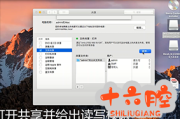
Ricoh Copier SMB Scanning Folder Sharing Settings-General Step 1: Create a Scanning Folder, Rename the New Folder on the D or F Disk and Desktop of the Computer to 223. the second step, set the folder sharing properties, right click on the 223 text...
Ricoh Unixin UOS Kirin System Print Driver Installation and Scan to Folder Function Setting Video Kirin System Installation Driver does not need to be downloaded in advance, and the corresponding driver will be automatically downloaded in the system official website. UOS system does not have its own firewall by default (unless manually activated...
Fault phenomenon: When customers use network printers and shared hot folders to transfer print jobs to the EX150 server on WINXP and WIN7 clients, they often encounter situations where the client cannot access the EX150 server. Restart EX1
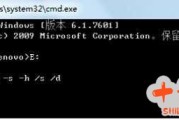
Problem description: When a virus is detected on a portable hard drive or USB drive, it can cause files or folders to be hidden and generate an executable file with the suffix exe. The executable file of. exe can be executed by Mcafee or ..
First set up a shared folder on the computer that needs to receive the scanned files. * * * * This content is hidden by the author * * * * Note:[1] The name of the folder is better to be simple, such as scan, 123, etc. [2] Folder...
The possibility of sending failure after Ricoh copier scans to shared folder settings. Scanning to shared folder is a very convenient scanning method, but it is often caused by various reasons on the spot of customers, which many teachers shared before...
m2700 machine in scanning to the folder in the operation of the scan could not be successful, the display screen reported "NetBIOS name has been repeated" error; possible reasons: folder settings reasons/network reasons maintenance process 1. on-site view of the customer...
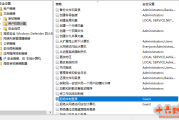
Symptom M2700 or other models experience an error when setting up Scan to Shared Folder with the message "Failed to connect to server" or "Server is not responding". maintenance process this fault is mainly because of Win7, Win10 and other operating system...