
|
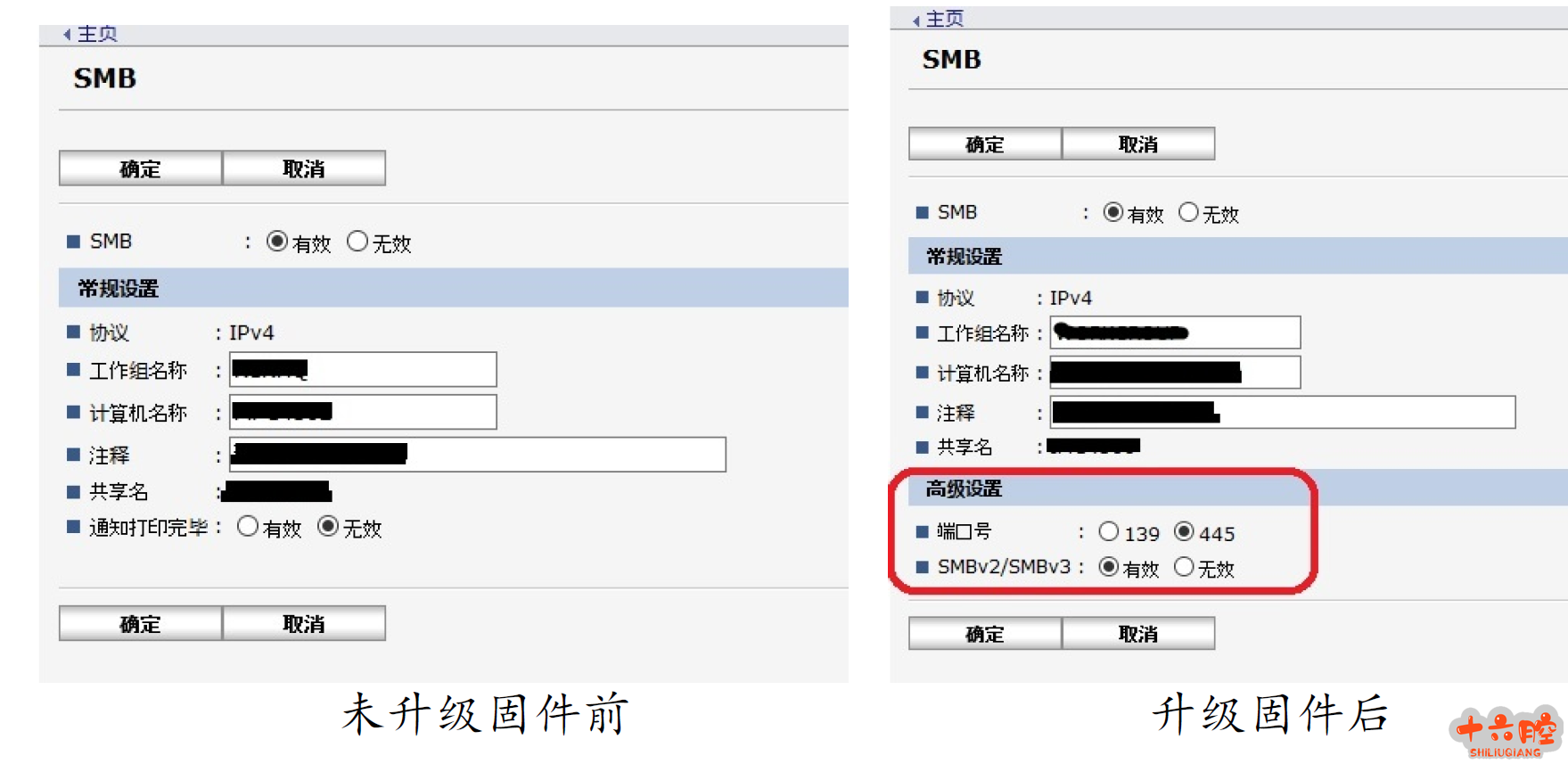
Symptoms M2700 or other models report an error when scanning to shared folder settings, with specific information such as "connection to server failed" or "server unresponsive". Maintenance process This malfunction is mainly caused by operating systems such as Win7 and Win10 disabling the SMB v1 protocol after updates. The following two solutions are provided to solve it: Option 1, 1. Upgrade the firmware of the faulty machine to the latest version. 2. After the upgrade is completed, when accessing the machine through WIM, a new "SMBv2/v3" option will appear in the "Device Management" - "Configuration" - "Network" - "SMB" options and check "OK";
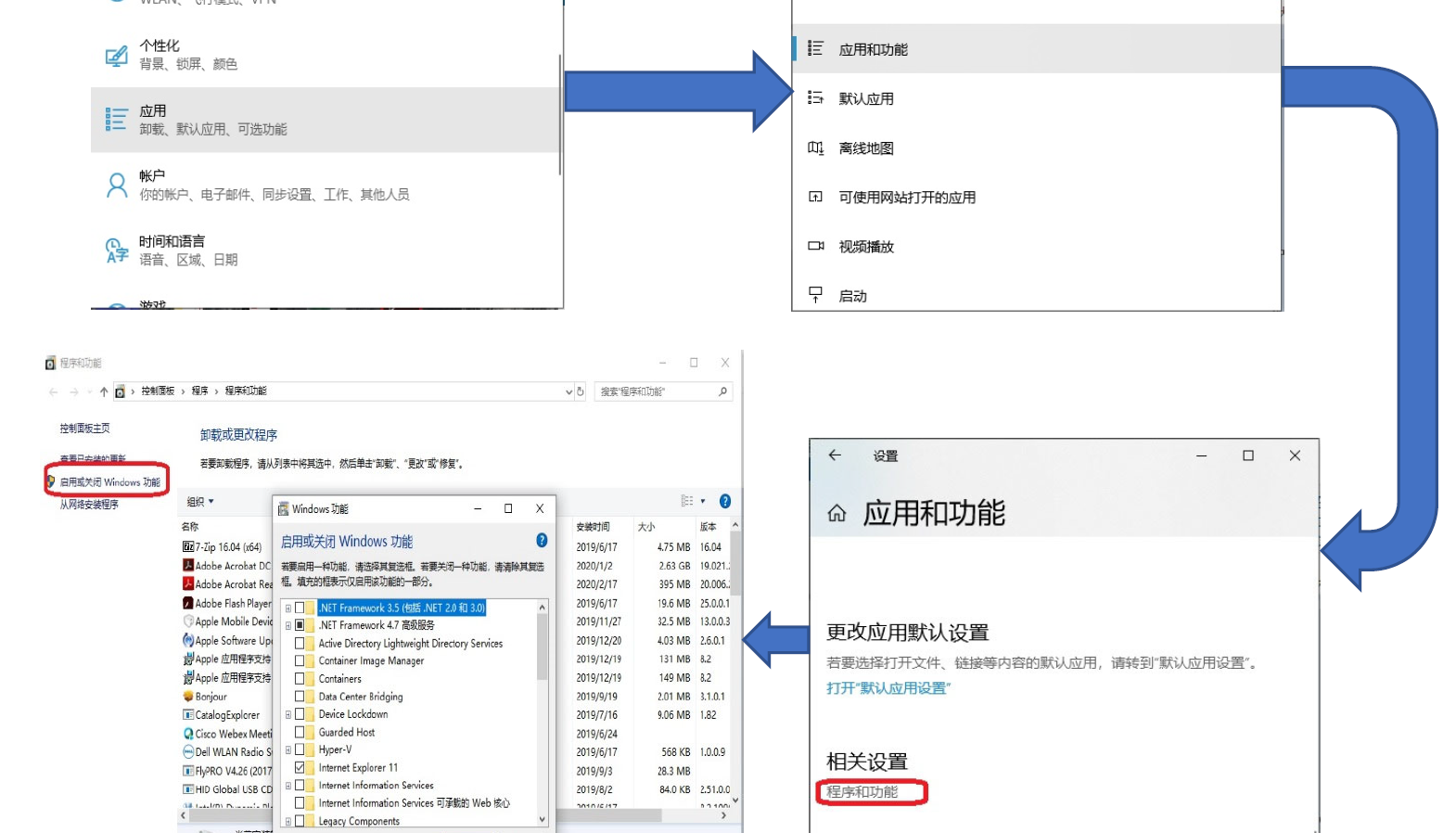
3. After selecting the option and restarting the MFP, the test successfully scanned the shared folder and resolved the issue. Option 2 1. The Win10 operating system enters the "Enable or Disable Windows Features" interface, and the specific steps are as follows:;
2. Check the "SMB 1.0/CIFS File Sharing Support" option and press "OK" to exit; After restarting the computer, the test successfully scanned the Win10 shared folder and resolved the issue. Solution After updating the Win7 and Win10 operating systems, if the scanning to the shared folder fails, two solutions can be used to handle it. |
Address of this article:https://073868.com/post/5695.html
Copyright Notice:
For relevant infringements, reports, complaints and suggestions, please send E-mail:weixiuwang68@qq.com






