
|
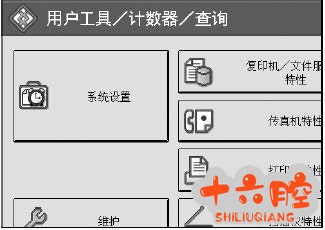
Firstly, set up a shared folder on the computer that needs to receive scanned files. Link: https://pan.baidu.com/s/1A9U_fz-oCaTgTIlu1FNZnQ Extraction code: 7z98 Note: [1] The name of the folder should be simpler, for example: scan, 123, etc. [2] It is best to set the folder sharing permission to the maximum (Windows XP, Windows 2003 seven operating systems). To operate on the MP C2500 machine: 1. Go to [User Tools] and select [System Settings]. As shown in Figure 1
2. Enter the [Address Book], set the user name, and press [OK] (as shown in Figure 2). 3. Select [SMB]. 4. Press [Browse Network] to select the set shared folder in the displayed LAN network architecture (First find the computer name, then enter the subdirectories one by one until the set shared folder appears, as shown in Figures 3 and 4.). Note: (1) Some machines display a blank LAN architecture after selecting [Browse Network]; This is usually caused by the security settings or network firewalls within the company's local area network, which prevent users from accessing each other; At this point, you can use [Change] to directly input the path for setting (as shown in the red circle in Figure 5), and the format of the path is: \ Computer IP Address \ Shared Folder. (2) Some machines, after manually entering a path or automatically searching for a path, will display a screen that requires the input of a username and password. This is usually because computers that have set up shared folders have a startup username and password. When the machine attempts to connect to the computer, the computer requires the input of a username and password; At this point, simply enter the startup username and password of the computer. 5. After setting up, press [OK]. Operate on MPC2500: Switch the scanning mode to folder mode (press the button in the blue box of Figure 6 to switch)... Select the set user path (in the red box of Figure 6)... Press the [Start] key to send. |
Address of this article:https://073868.com/post/2883.html
Copyright Notice:
For relevant infringements, reports, complaints and suggestions, please send E-mail:weixiuwang68@qq.com





