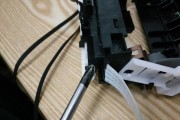
Common (except VA models) fault symptoms: 1. After inserting a USB flash drive, the external memory box does not pop up and the USB icon does not display. 2. It can print from the USB flash drive, but cannot scan to the USB flash drive. 3. Even if the external memory printing and scanning functions are turned on ..
Model bizhub 654 Series Failure Phenomenon 1. bizhub 654 machine installed for two and a half years, printing 4,500,002. A small number of copies are printed for the first time, and continuous printing starts to shift images after outputting hundreds of copies,...
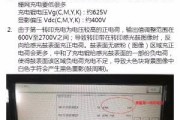
C226/C256/C266/C7222/C2226 C227/C287/C7528 C308/C368 The first transfer voltage is too high, causing ghosting in the machine output image. Solution to the problem. ,. ..
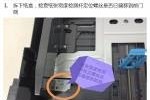
Kemei 227/287/367/7528 C226/C256/C266/C7222/C7226 C227/C287/C7528 The paper box size detection mechanism is incorrect, resulting in paper size detection ..
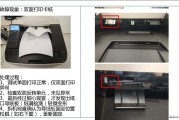
Fault phenomenon: After the fusing unit has processed two-thirds of the paper, a paper jam error is reported. Repair process: Connect the printer to a computer and print on A4-sized paper. The paper stops advancing after passing through approximately two-thirds of the fusing unit, and a paper jam fault is indicated. After removing the cardstock, it was found that the font in the printed image was stretched and distorted....
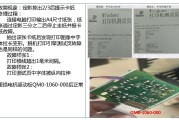
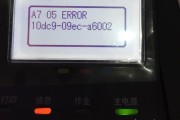
Troubleshooting process: After consulting the maintenance manual, it was determined that fault code B200 indicates a VH monitor error. First, the print head was removed and the machine was restarted; the machine booted up, confirming that the print head is indeed defective. Remove the machine to detect the motherboard and car without obvious burn out, with the past...
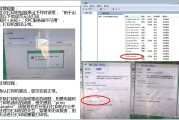
Trouble phenomenon: The following dialog box pops up on the computer during this printing, "The picture cannot be printed due to the following error; RPC server is not available", and the printer copies normally. Process: Confirm the printer driver and show that the installation is normal. Platoon....
Trouble phenomenon: 1. After the machine is turned on, the power indicator light is on, the screen is not on, and the machine does not move; After 3 minutes, the machine is turned on normally and the printing is normal; 2. After replacing the new motherboard and memory, the fault remains, but the machine does not start for 10 minutes; 3....