
|
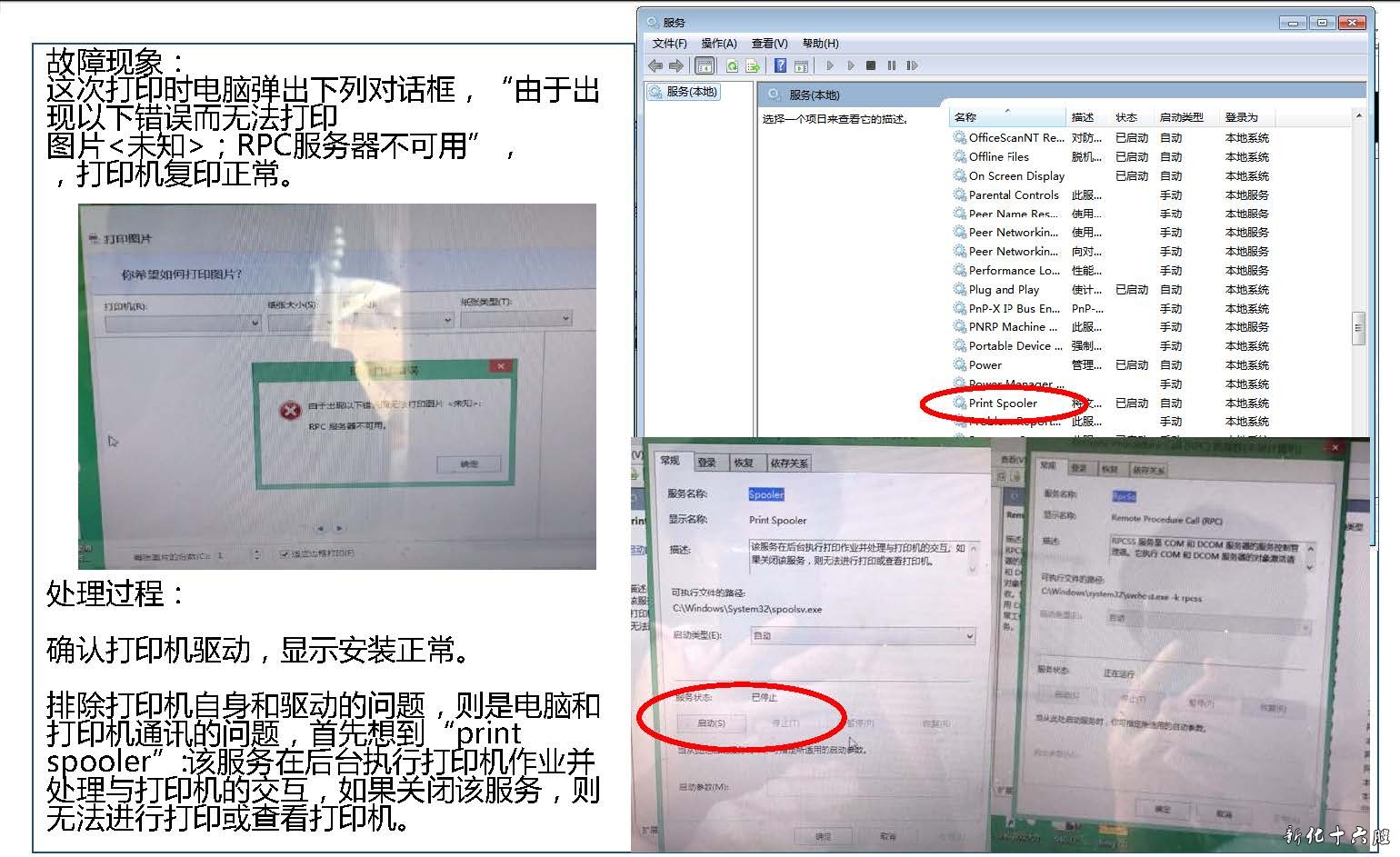
Fault phenomenon: When printing this time, the computer pops up the following dialog box, "the picture cannot be printed due to the following error<未知>; RPC server is unavailable ", and the printer copies normally. Processing procedure: Confirm that the printer driver is installed normally. Excluding the problem of the printer itself and the driver is the communication problem between the computer and the printer. First, think of "print spooler": this service executes printer jobs in the background and handles the interaction with the printer. If the service is closed, it is impossible to print or view the printer.
Enter "Run", or "windows key R", enter "services.msc", find "print spooler" and double-click, find that the status is stopped, and click "Start". Troubleshooting. Many times the customer printer can not print will be considered a printer failure, but in fact the communication between the printer and the computer will often be ignored. Under normal circumstances, computers are normal, but due to antivirus software or 360 security assistants and other software, these protocols will be shut down directly. Common protocols are as follows. For reference 1. print spooler, this is mostly the fault. The service executes printer jobs in the background and handles interactions with printers. If you turn off the service, you cannot print or view printers; 2. Remote Procedure Call(RPC), the RPC prompted in the error is not available; The RPCSS service is the service control manager for COM and DCOM servers. It performs object activation requests for COM and DCOM servers, object exporter resolution, and distributed garbage collection. If this service is stopped or disabled, programs using COM or DCOM will not work properly; This item can be referred to when 3. DHCP Client network printing. Register and update the IP address for this computer. If this service is stopped, the computer will not receive dynamic IP address and DNS updates. If this service is disabled, any services that explicitly depend on it will fail to start. |
Address of this article:https://073868.com/post/856.html
Copyright Notice:
For relevant infringements, reports, complaints and suggestions, please send E-mail:weixiuwang68@qq.com
Tags: #E518 #Unable to #Print output







