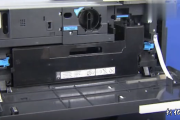
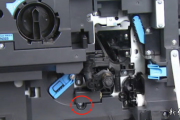
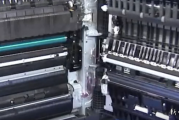
If the PC photosensitive drum assembly needs to be replaced or the printing and copying quality deteriorates during the use of the Komei 287 and 367, the photosensitive drum assembly needs to be replaced. Here is how to replace the photosensitive drum of the Komei 287 and 367: First, open the front cover and side door of the machine ..
The process of replacing the development chamber of Kemei 287 and 367 involves first removing the drum sleeve. The following is an introduction to the method of replacing the development chamber: 1. Remove the drum sleeve first. Please refer to the "Kemei 287 and 367 Replacement Drum Sleeve Diagram" for instructions on how to remove the drum sleeve; 2、 Remove the connecting wire of the developing chamber ..
1、 Open the side door of the machine: 2. Open the front door and remove the toner bottle: 3. Remove the three screws as shown in the picture: 4. Remove the IU plug cover plate: 5. Gently apply horizontal force to pull out the IU component (drum). . Repair case, Ricoh ..
1. The main thermistor detects a temperature below 115 degrees Celsius for 400ms and 100 degrees Celsius after 1.3 seconds. 2. The main thermistor detects a temperature below 150 degrees Celsius for 400ms and 140 degrees Celsius after 1.3 seconds ..
Can analyze common fault codes of laser printers? 00- The machine is normal and can print online. 02- Machine preheating, ready for use. 11- The machine is out of paper, please add more paper. 12. The machine is not properly closed on the door, please check and close it properly. 13- Machine ....
The initial password for the administrator of Kemei C221 is 12345678. Many users intentionally or unintentionally change their administrator password during use, and forget it for a long time, resulting in the inability to enter the administrator settings mode. Below is the reset administrator ..
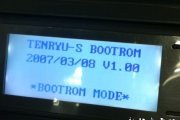
What is the malfunction of TENRYU-S BOOTROM 2007/03/08 V1.00 * BOOTROM MODE * displayed on the Komei copier? Shut down first. Press and hold 'Clear/Stop...'
[Symptom] The faulty machine prints one or two black stripes on the first and second sheets of paper every day. After opening the drum for drying and replacing the drum components, developing unit, carrier, and transfer roller, the fault still persists. [Response measures] Check the contact between the magnetic rollers on both sides of the drum unit ..
[Symptom] When feeding the original document from DF, the pickup roller does not descend and the MFP may generate an error code (J66-02). [Reason] 1 The fixing force of the paper picking bracket may change due to the use of a leaf spring as the bracket In the paper rolling section ..