|
1. The main thermistor detects a temperature below 115 degrees Celsius for 400ms and 100 degrees Celsius after 1.3 seconds.
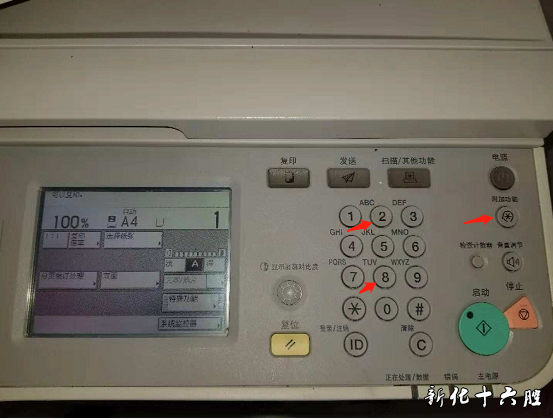
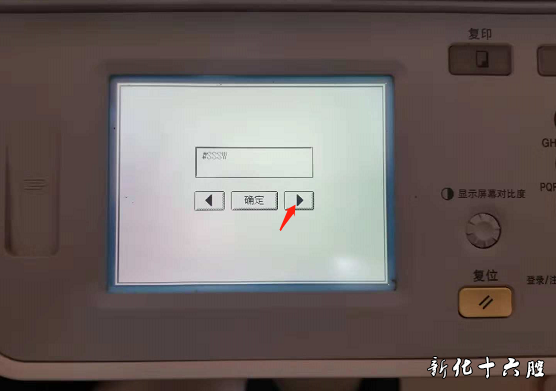
1. Press the "*" key, then the number "2" and "8" buttons. (Note: If * is the additional function.) Press the "*" key again, and then release it. At this point, the Canon copier will prompt that it is currently in "service mode" (* 28 *, speed should be fast, if not, just try a few more times) as shown below:
If the machine cannot be restored to normal, the following hardware needs to be checked and replaced: 1. Check the connection of plugs, such as thermistor plugs and AC plugs. |
Canon 252025252530 appears E000002 processing method
263
0