IMC3000 prints normally, and color bars appear in the main scanning direction at the bottom of the printed material during copying and scanning; Fault photo: Possible causes: poor CMOS/SBU/SBU cable/BUCU repaired ..
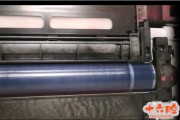
Symptom: The IMC3000 has a magenta background gray on the back of the machine after using about 30000 pieces. After disassembly, it was found that the drum surface was abnormally worn, but there was no wear on other drums. After replacing with a new PCDU, about 5000 pieces of magenta drums were used again ..
Symptom IMC3000 When using PS Driver for Universal Print to print a document, the machine panel displays an error message. Click Continue to complete the print job, but the font is replaced. Original...
During the installation and automatic adjustment detection process of the new machine, there was an unexpected power outage, resulting in uneven alignment of the output sample lines during subsequent automatic color calibration. The SP2111 line alignment adjustment failed. The reason for the color mismatch is due to the misalignment of the line alignment ..
The newly installed machine is IMC3000. After installation, the copy is normal on one side, and the paper jam on both sides. Each time the paper jam is at the double-sided interface, the SP5-804 detection is used. SP5-804-65 the double-sided paper feed motor does not respond, re-plug the motor line...
Ricoh IMC2500 copies and prints only black, no color. Possible reasons: LD bad/PCDU bad/BICU bad/ITB bad/high voltage bad/motor bad maintenance process 1. Machine...
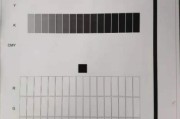
Symptom 1. One IMC3000 photocopy has grid lines, but the printed product is normal; Possible reasons: Operation error/BUCU poor maintenance process 1. Check the fault sample image, which is highly suspected that the machine is operating in SP mode ..
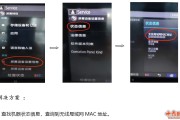
IMC2000/C2500/C3000/C3500/C4500/C6000 According to customer requirements, it is necessary to query the wireless LAN MAC address on the machine IMC3000 by the customer. Reason: The machine is set up for maintenance...