Symptoms Due to the pressure exerted by the paper feed/conveying roller, the chemical substances contained in the carbonless copy paper penetrate the surface of the roller and adhere to the surface of the roller inside the machine, causing the roller to expand. as a result of the release of pressure or carbonless copy paper developer, and/or back dyeing, black...
The symptom appears J45, when the Z2 guide is opened to clear the jammed paper, the jammed paper is stuck on the double-sided transfer roller 4. Cause The drive belt of the double-sided transfer motor 2 is loose. Solution Use the following procedure to tighten the drive belt. 16. remove the drawer...
The default setting of the sleep mode timer was not activated incorrectly. The sleep mode timer can only be changed for a maximum of 60 minutes. (The maximum duration can be changed to 240 minutes.) Reason: The default setting for sleep mode is incorrect. In this field: use ..
How to reset the PM counter after replacing the feed roller. 1) Enter SP mode 2) Perform the following SP on the replaced paper feed roller. * * * * This content is hidden by the author. * * * * Pick up roller, paper feed roller, and reverse (separate...)
Symptoms The following collator SR5110/booklet collator SR5120 related jigs and SC errors: software internal error J123 (outlet guide plate on/off motor) After five consecutive occurrences of J123, SC720-24...
[*] 682-01: CUU: ID chip communication error (K_invalid device ID) [*] 682-06: CUU: ID chip communication error (K_channel error (e.g. bus disconnection)) [*] 682-1
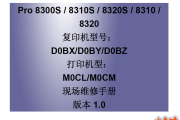
Ricoh Pro 8300S,8310S,8320S,8310,8320 Chinese Maintenance Manual Full Book Error Name Lamp Error (Scan) (Front) When the scanning level of whiteboard or ADF guide board is lower than the specified value, it will be checked...