Symptom: SC670 code appears when the machine is turned on. Analyze possible causes of the malfunction: 1 BCU board is broken. 2. The control board is broken. Measure: 1. Replace the control board. The NVRAM, hard drive, SD card, and memory on the control board are still faulty ..
The symptom prompt on the power on panel is a D-level code indicating a functional malfunction. After turning off the power, the panel displays SC998, which cannot be eliminated. Replacing the IPU and BCU is ineffective. After replacing the controller board, it works normally, but the controller board is broken. Reason: The controller board is broken ..
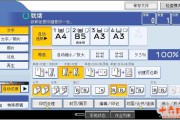
Q: How to modify the default settings (for example, double-sided copying, binding and other functions will be displayed when starting up in copy mode)? A: The steps are as follows; in copy mode, select the functions that need to be used by default first. At this time press the right side of the panel......
Plain paper prints normally, thick paper prints, and there will be multiple thin white lines at fixed positions. After comparison, the position of the white line corresponds to the position of the drum separation claw. Try to remove the separation claw assembly, and the fault remains. look at the drum surface, no obvious wear, after the replacement of the new drum, is...
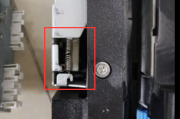
Frequent reports of j008 paper jams were made using the second cardboard box. Upon inspection, it was found that the damping wheel spring of the second cardboard box was slightly straightened as shown in the picture. The paper rubbing component of the second and third cardboard boxes was reversed, and no paper jams were found during testing. The spring on the damping wheel was replaced, and the test was normal .. Ricoh/Kist ..
After installing the SD print card, there are no print icons or scan icons, and the print scan function cannot be used. The 985 function has been turned on, and scan settings can be seen in maintenance mode and user tools, but there are no print settings. Even upgrading and replacing the hard drive won't work. *. ..
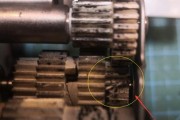
If you print hundreds of sheets, you will get SC54-2. If you enter the maintenance mode, you will get rid of them when you turn them off and start them. If you print hundreds of sheets, you will get out frequently. Check that the fixing cleaning assembly has great resistance to manually turning the gear when removing the motor. Disassemble the gear set. Check in detail that there is a gear wear and find a tooth...