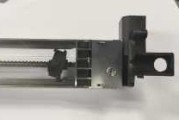
If you print hundreds of sheets, you will get SC540-2. If you enter the maintenance mode, you will get rid of them when you turn them off and start them. If you print hundreds of sheets, you will get out frequently. Check that the fixing cleaning assembly has great resistance to manual gear rotation when removing the motor. Disassemble the gear set. Check in detail that there is a gear wear. Find one...
The 7502 machine has been waiting for the interface to start up, and after waiting for about 20 minutes, it reported SC670. Then, after unplugging and plugging in the wiring harnesses of various boards, the problem with the memory module and hard drive still persists. After testing, it was found to be a problem with the power board, and we removed the power supply of an old machine ..
The machine prompts to replace the cleaning net. The cleaning net has indeed run out of 1902001. With the change of 10 days and no printing for two days, there is a report of error. Replace the cleaning net 1902001 and then change it or replace the sensor in the same way. The final 1902 is found...
Troubleshooting Assistant-Scanner 1.3: Scan to Folder (SMB/FTP/NCP/WSD) Transfer Failure [hr] Generally, the latest firmware test can be updated, most of which are symptoms of low firmware version...
Q: Ricoh 7502 prints black images too deep. Answer: Set sp 2201 (developing bias) to 400, change sp3901 (automatic process control) to 0 (off), and press # to save. This method requires manual replacement of the drum next time ..
Symptoms: There is a black bar along the paper output direction when the machine prints, as shown in the figure. Measures: 1. Clean and check the drum and charging unit. 2: Check SMC 7-403 to view the error record as follows, and report an error SC3053: Check the aging and charging power of the charging unit...
The first two copies of printing and copying have irregular black stripes, which will disappear after multiple prints in a row. The first few chapters of printing will appear after printing is interrupted for two minutes. Ricoh/Kissinger, Ricoh Copier Maintenance...
The symptom is that the machine's copying and printing of copies may occasionally have black stripes. Reason: The drum unit of the machine is faulty. The main charging of the machine is poor. The developing unit of the machine is faulty. The transfer unit of the machine is defective. On site maintenance measures during the maintenance process: 1) ..,. ..
Symptom: Occasionally, there may be black bars when copying machines, as shown in the following figure: Reason: Poor charging motor; Repair process: 1. Based on the fault diagram, it is initially determined to be a charging issue. After inspection, cleaning, and testing of the charging bracket, no abnormalities were found; 2. According to the image ....
I didn't take detailed photos of the malfunction during the repair process because my hands were too dark. Print a light sample as shown in the picture to avoid wasting paper during maintenance. Folding it up, opening the door and inserting it. Running in SP mode, the 2223 VT value was found to be around 3.8, exceeding the target ..