
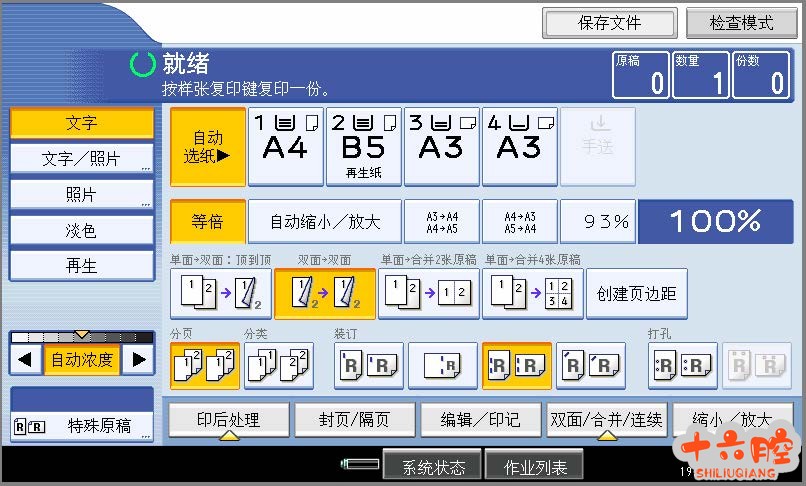
How to modify the default values of the copying interface (default pagination, single-sided) for Ricoh MP7502? Most Ricoh copiers are suitable, except for the new touch screen panel, everything else is basically the same. Machines such as 700160014000500190019000600213571350 can be used. The specific operation is as follows:Q: How to modify the default boot settings (such as displaying double-sided copying, binding, and other functions when turned on in copy mode)? Answer: The steps are as follows:; In copy mode, first select the function that needs to be used by default.
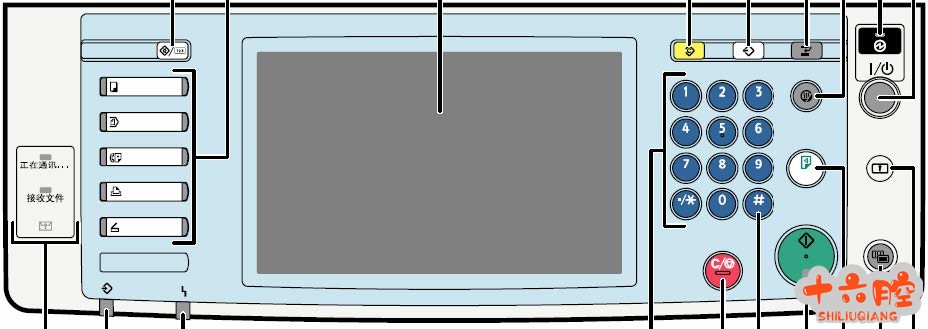
At this point, press the 【 Insert 】 button on the right side of the panel, and the one to the right of the yellow button (to the left of the Insert button)
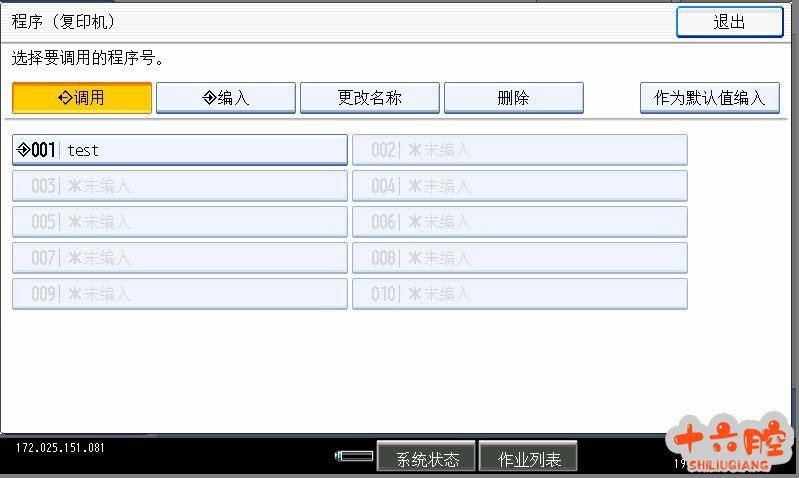
Select 'Include as default value'.
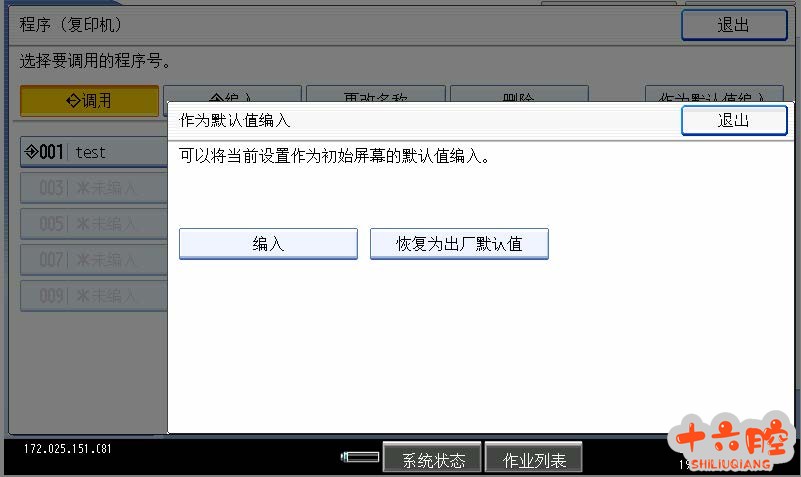
Select [Include].
Press the [Insert] key to exit, and the functions set on the panel will now be used as the default settings for booting. |
Address of this article:https://073868.com/post/346.html
Copyright Notice:
For relevant infringements, reports, complaints and suggestions, please send E-mail:weixiuwang68@qq.com
Tags: #7502 #7001 #Panel #default value






